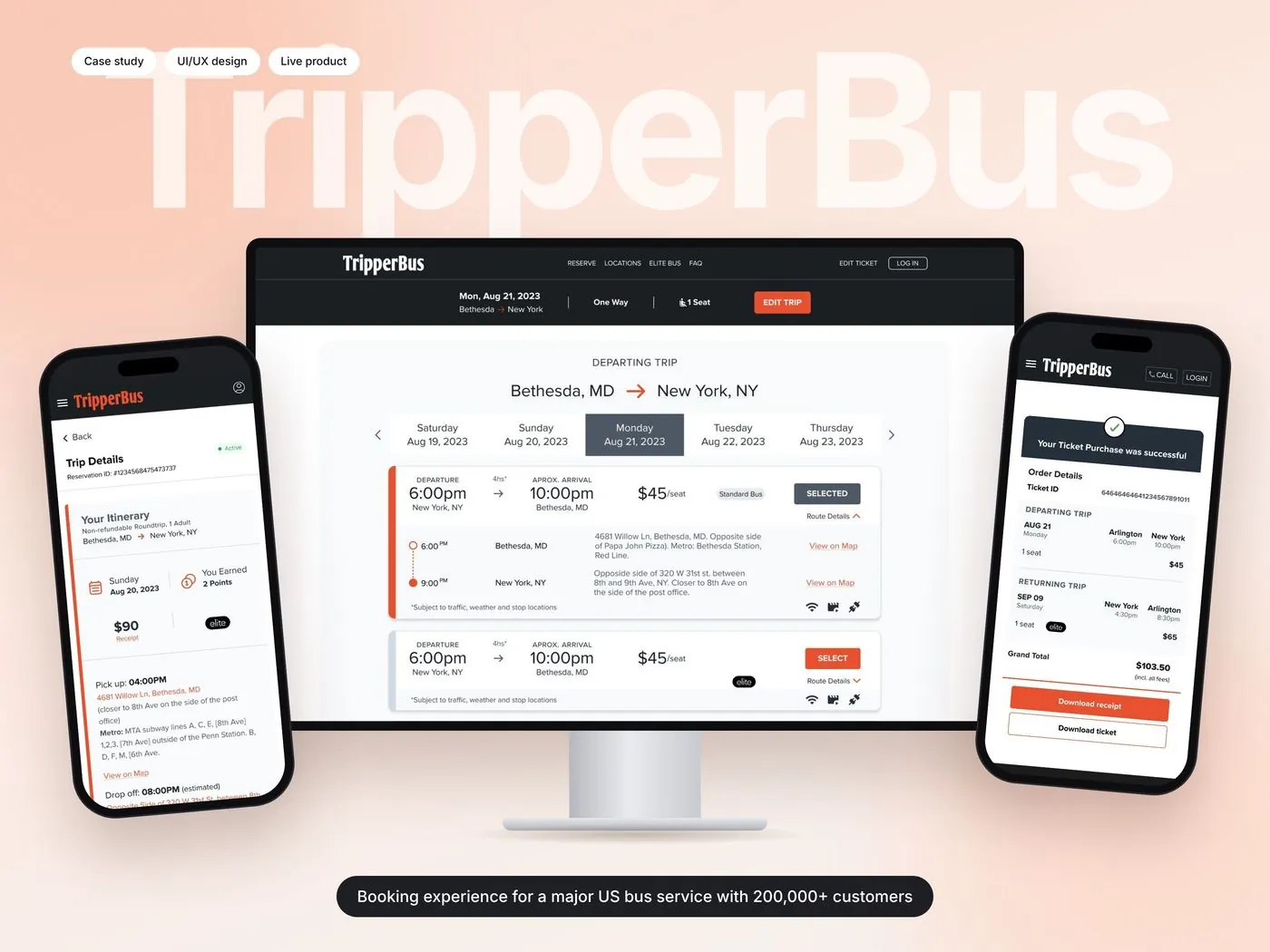
TripperBus carries more than 200,000 customers between Washington DC and New York. I designed how they search, book, pay and manage every trip.
TripperBus is an award-winning intercity bus service running daily between New York, Brooklyn, Washington DC, Arlington and Bethesda, with Standard and Elite coaches and its own TrueTripper rewards program.
I redesigned the whole experience: search and results, checkout, confirmation, the rider dashboard and the marketing pages, for mobile and desktop.
Design process
From a rider’s first search to their next trip.
01
Discover
Booking & account audit
Rider journeys
02
Define
User flows: search → pay → manage
Design goals
03
Design
Mobile-first UI design
Responsive desktop layouts
04
Refine
Empty, error & edge states
Payments & rewards clarity
05
Handoff
Reusable components
Dev handoff
The challenge
Lots of moving parts, one simple booking.
An intercity bus trip has two directions, flexible dates, Standard and Elite coaches, stops, fees, promo codes and rewards. Riders, many of them on their phones, need to get through all of it without confusion.
Design goals
1
Compare trips at a glance.
Time, price, coach type and amenities on every card.
2
Never leave a rider stuck.
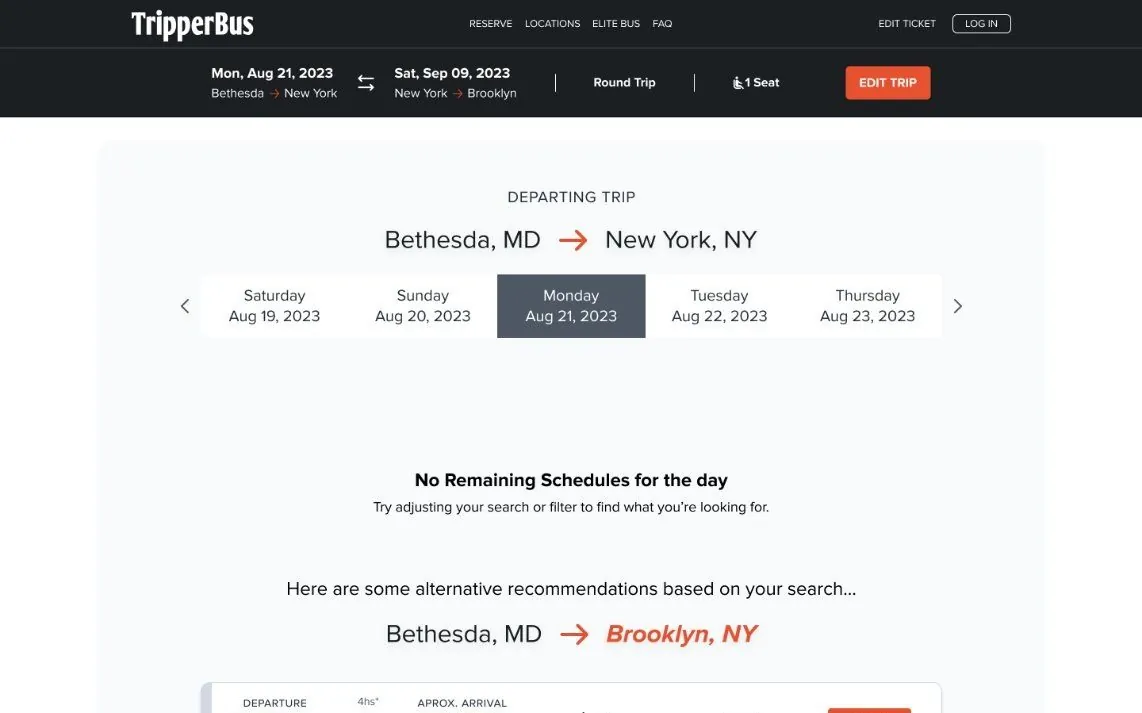
When a day is sold out, suggest other routes instead of an empty page.
3
No surprises at checkout.
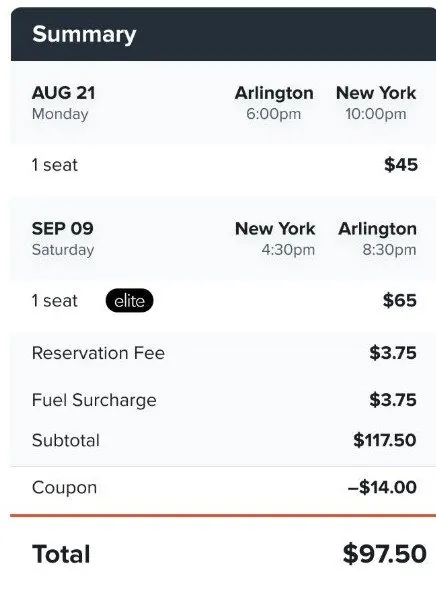
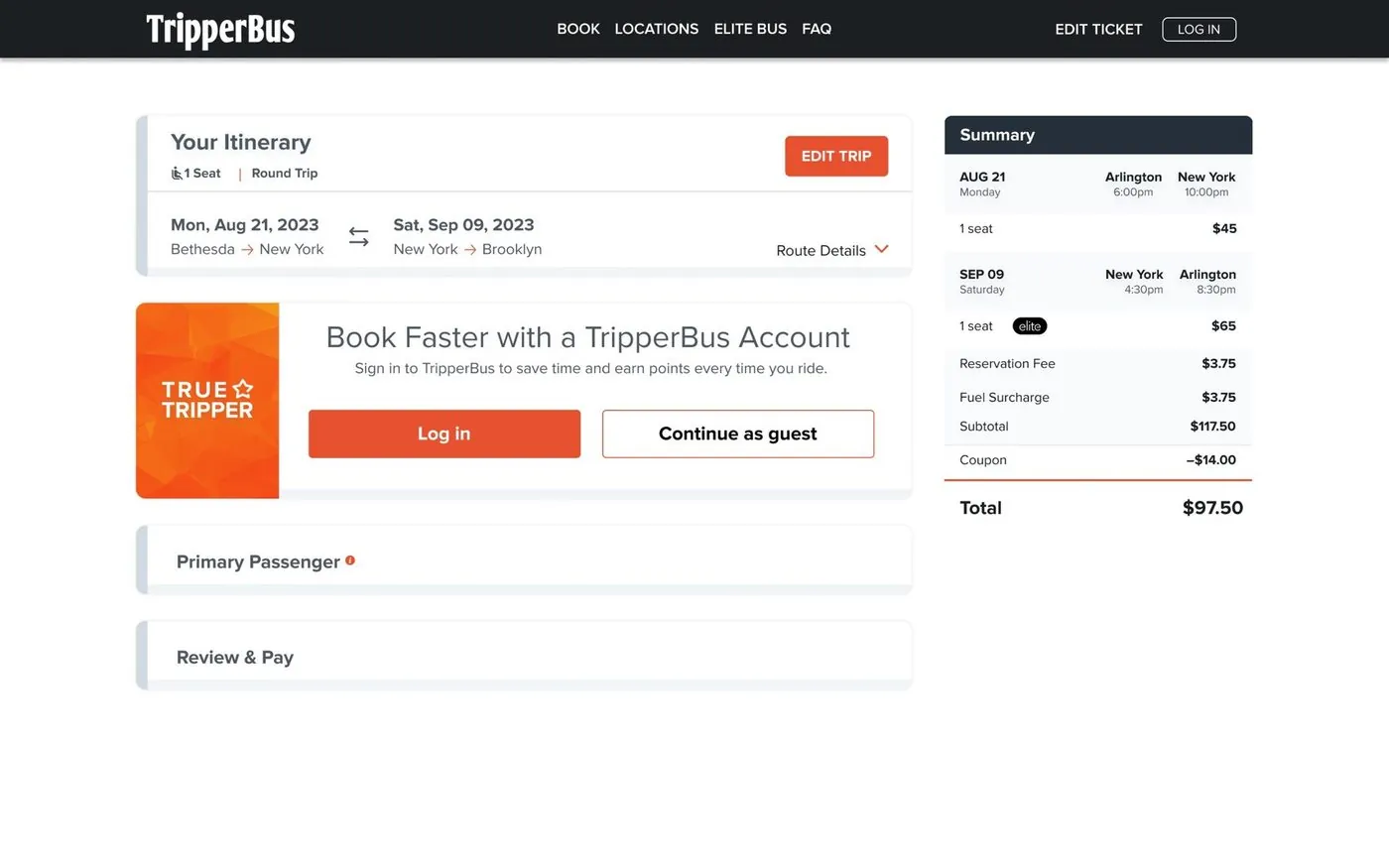
A live summary shows fees, surcharges and discounts before paying.
4
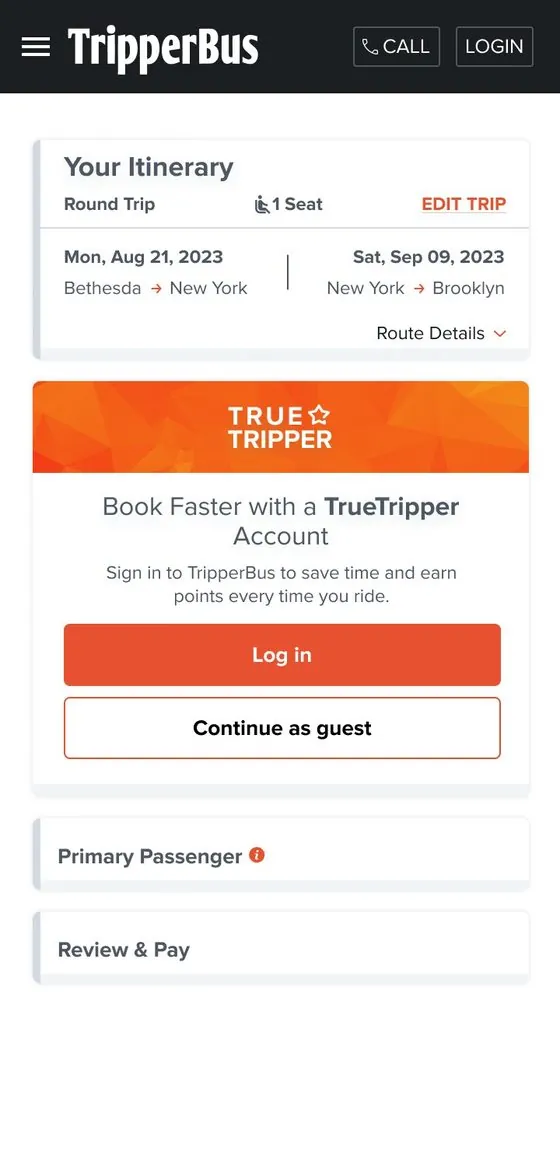
Book as a guest or a member.
Accounts are optional, with a rewards nudge to sign up.
5
Manage trips without calling support.
Reservations, edits, cancellations and saved cards in one dashboard.
How might we
make booking a bus between DC and NYC as quick and clear as booking a ride, on any device?
Who we designed for
Two kinds of riders, one experience.
Proto-personas based on who TripperBus serves: occasional travellers and loyal frequent riders.
WT
Occasional rider
The weekend traveller
Books a few trips a year, mostly on mobile
Visiting friends or family between DC and New York. Wants to find a seat, see the real price and pay quickly.
Needs
Fast search on a phone
A clear total price
Guest checkout
Pain points
Sold-out days with no options
Hidden fees at the end
Forced sign-ups
FR
TrueTripper member
The frequent rider
Travels most weeks
Rides often and expects the site to remember them, reward them and let them change plans easily.
Needs
Points and free rides
Saved payment methods
Easy edits and cancellations
Pain points
Re-entering details every time
Not knowing their points
Calling support for changes
User flows
From search to seat, and everything after.
Two connected journeys: booking a trip, and managing it afterwards in the rider dashboard.
01 Book a trip
Homepage / landing page
Search: one-way or round trip, seats
Results: pick a date
Trips available?
YesCompare tripsNoSuggest other routes
Select departing & returning trip
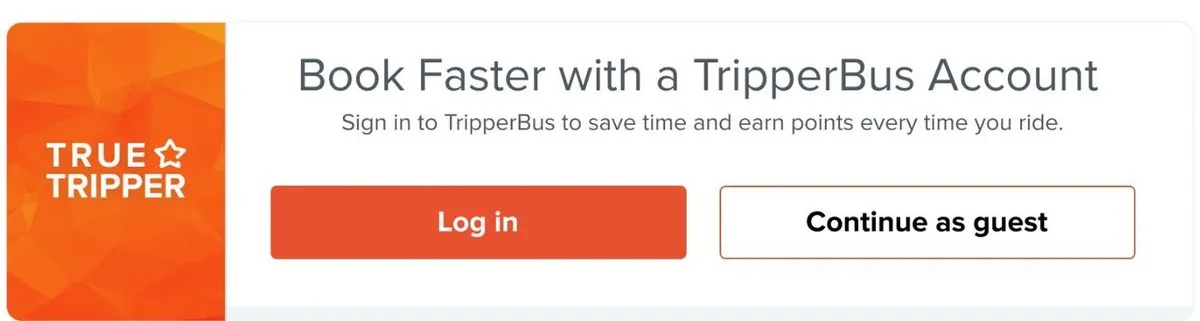
Log inContinue as guest
Customer info & passenger
Review & pay: points, promo, gift card
Ticket & receipt
02 Manage it
Rider dashboard
Account overview: points, credit, trips
ReservationsPayment methods
Trip details
Edit tripCancel trip
Updated ticket, no phone call
Visual system
Bold brand, calm interface.
TripperBus has a loud, confident orange. I kept it for actions, prices and progress, and let a charcoal and soft-grey base do the rest so trip details stay easy to scan.
TripperBus orange#E2522FActions · prices
Charcoal#1C1C24Header · footer
Slate#4B5160Selected · secondary
Mist#F2F2F4Surfaces
Green#2EA866Active · success
Aa
Type hierarchy
6:00pm → 10:00pm
Bethesda, MD → New York, NY
$45 /seat · Standard bus · Wi-Fi, power, restroom
Big times and prices first, then the route, then the fine print.
Components
Date strip: jump between days without searching again
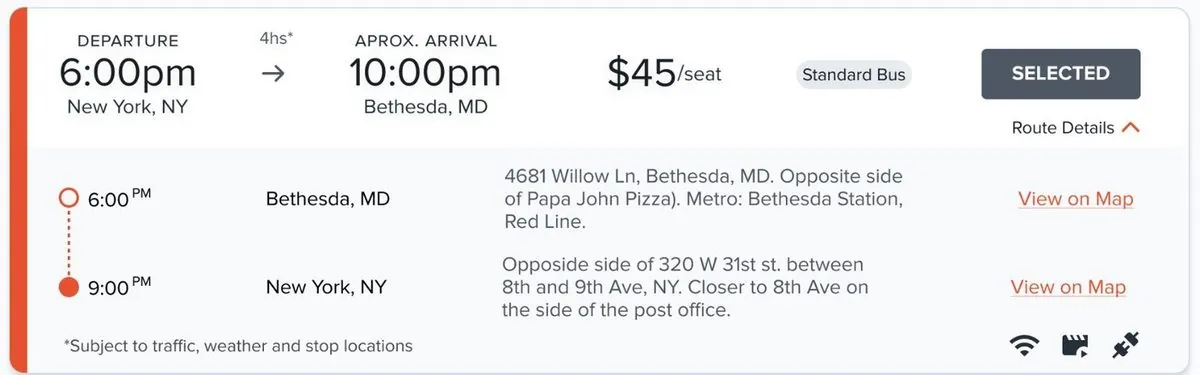
Trip card: time, price, coach type, amenities and stops
Live summary, always in view at checkout
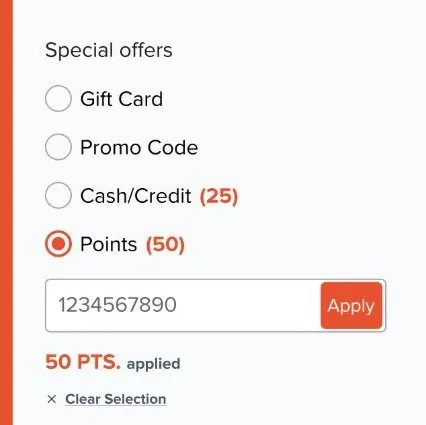
Points, promo codes and gift cards where you pay
Guest or member, with a rewards nudge
Account stats: points, credit, trips and holds
Final product
From search to seat, step by step.
Following one rider from searching a route to holding a ticket, across mobile and desktop.
01 Search
Search once, see every option.
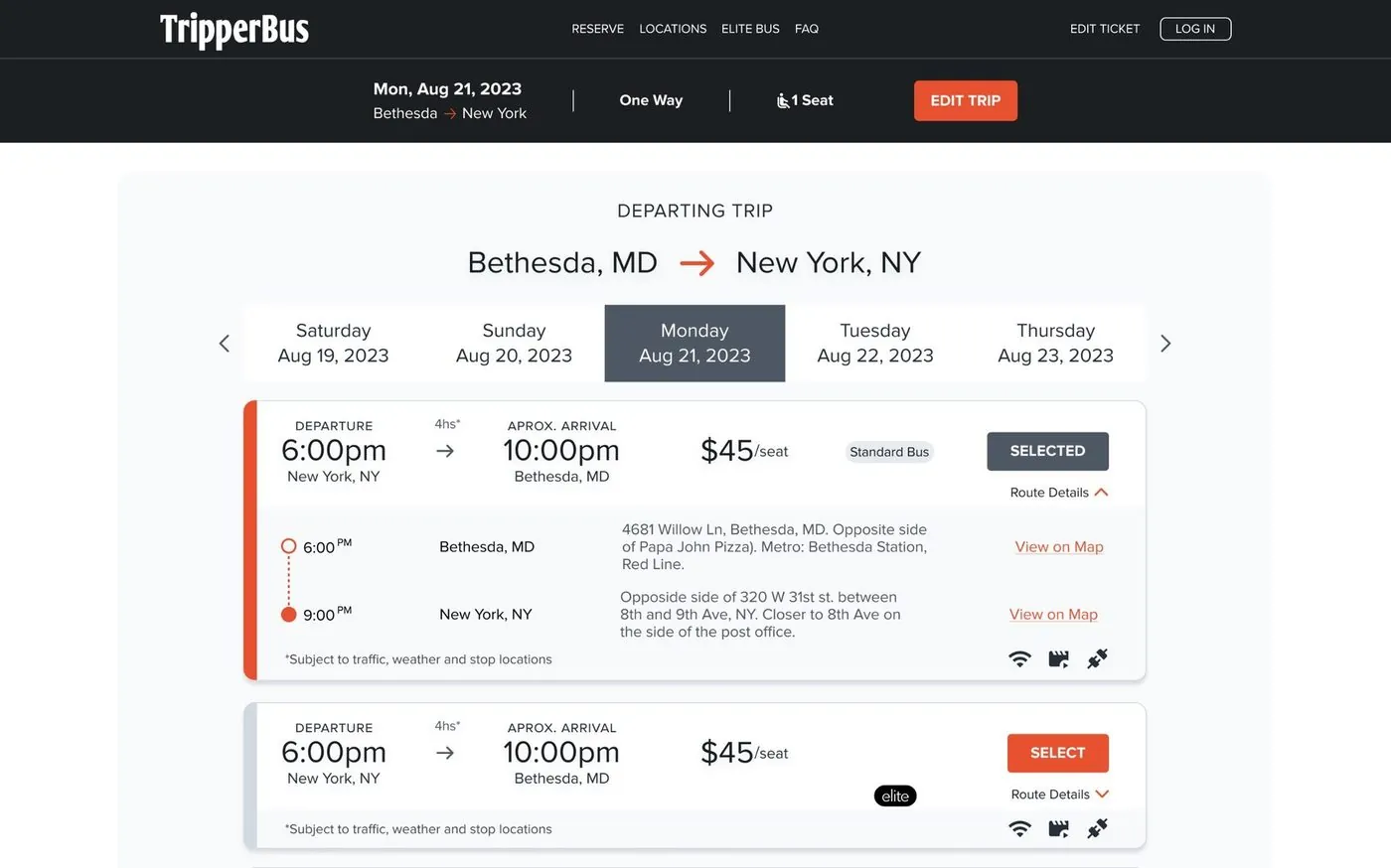
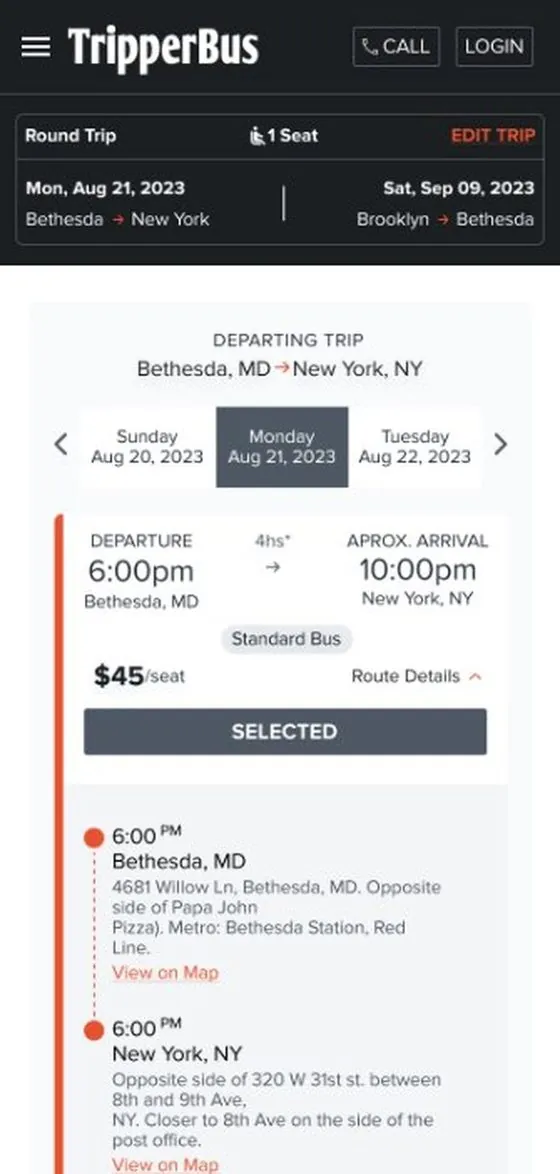
One-way or round trip, seats and dates in one panel. Results open on a date strip, so riders can hop between days without searching again.
tripperbus.com
9:41
02 Trip cards
Everything that matters on one card.
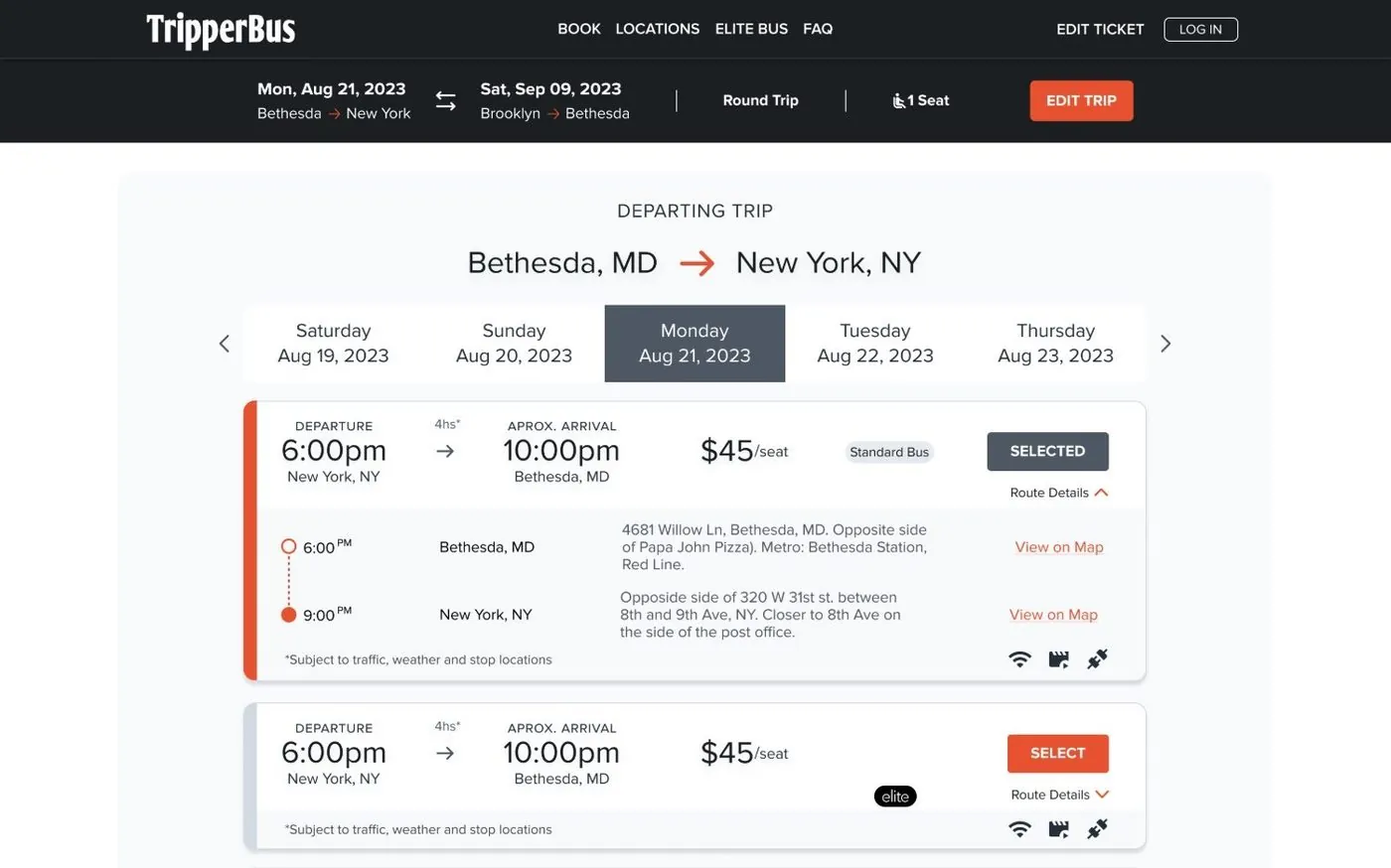
Departure, arrival, price, Standard or Elite coach and on-board amenities. Route details expand inline with every stop.
tripperbus.com
tripperbus.com
03 Stops & maps
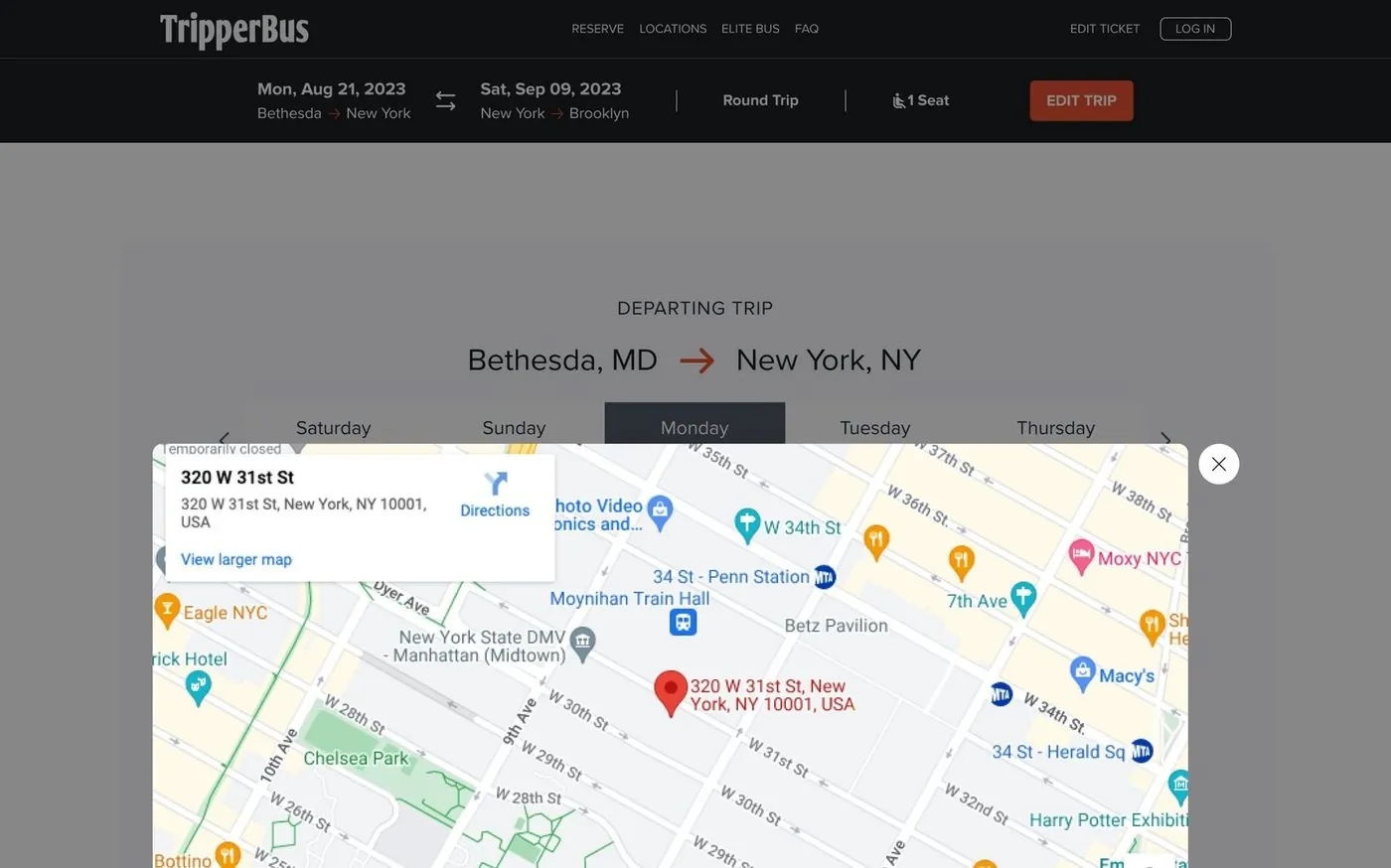
Pick-up points riders can actually find.
City-street stops are hard to describe. Each stop has written directions, nearby metro lines and a map view.
tripperbus.com
04 Guest or member
Book fast, with or without an account.
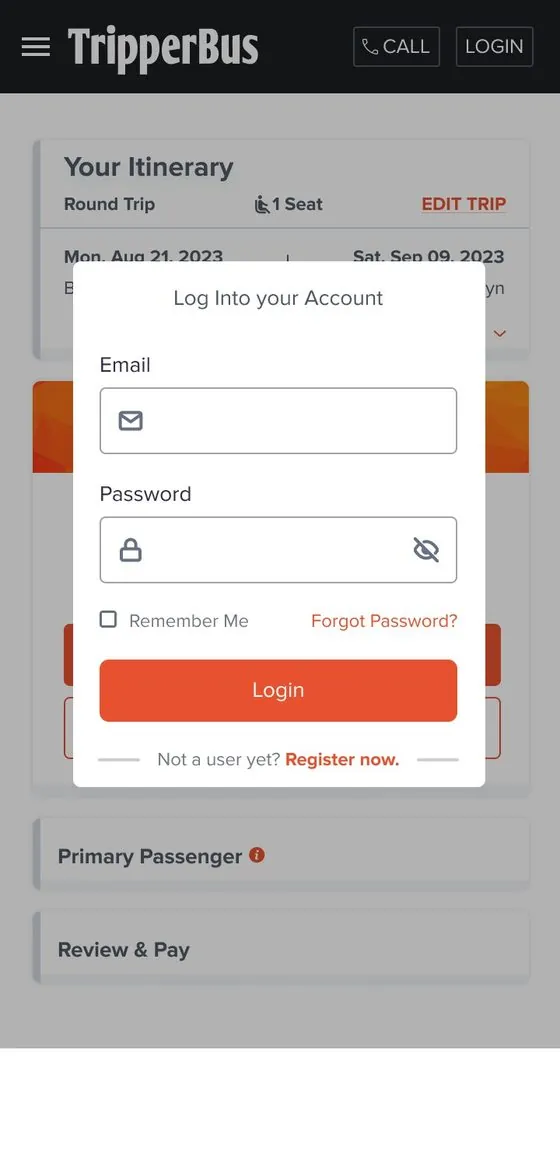
Riders can log in to save time and earn points, or continue as a guest. The TrueTripper prompt sells the benefit without blocking checkout.
tripperbus.com
9:41
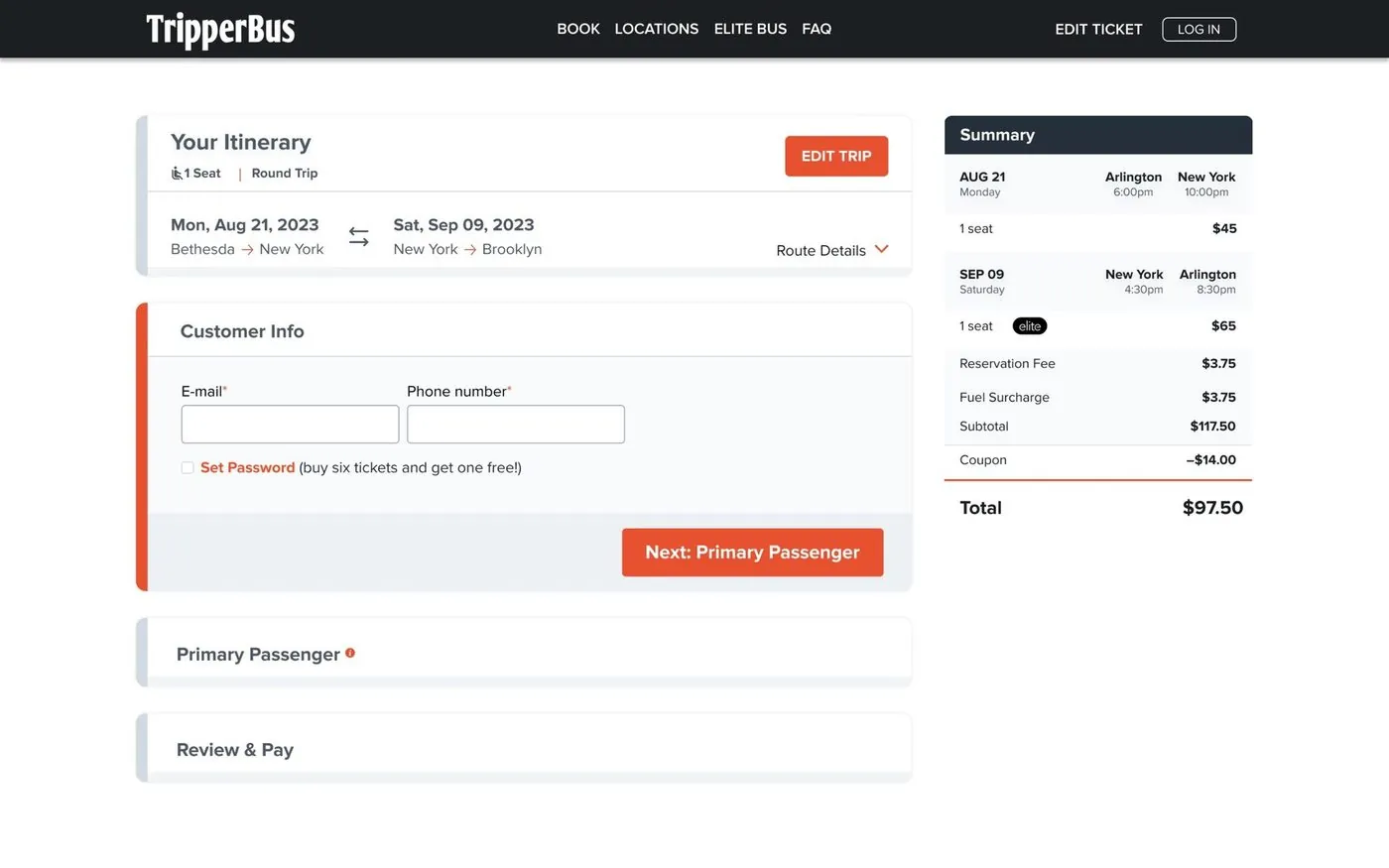
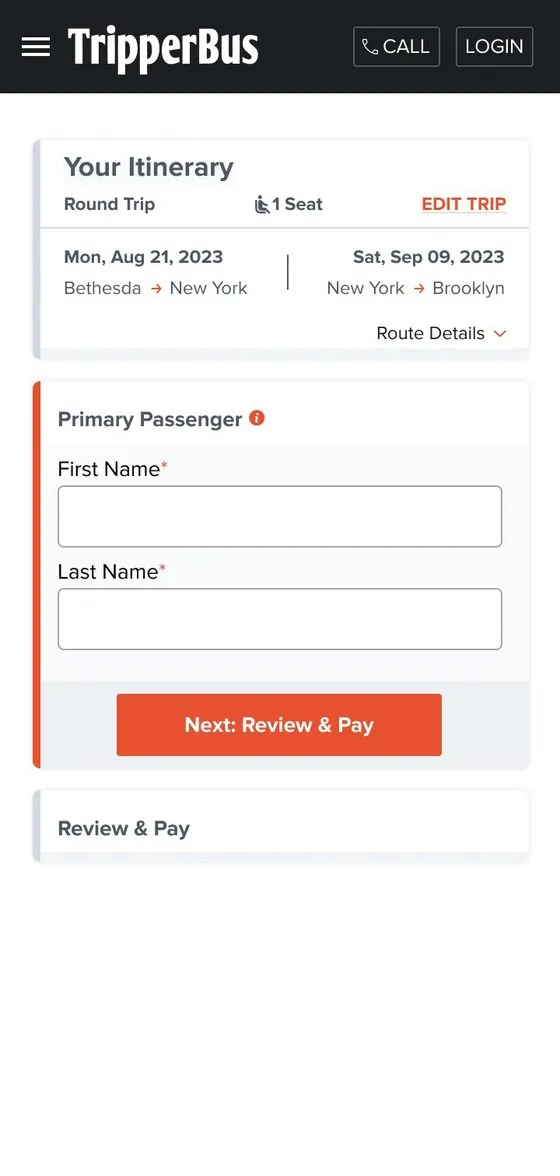
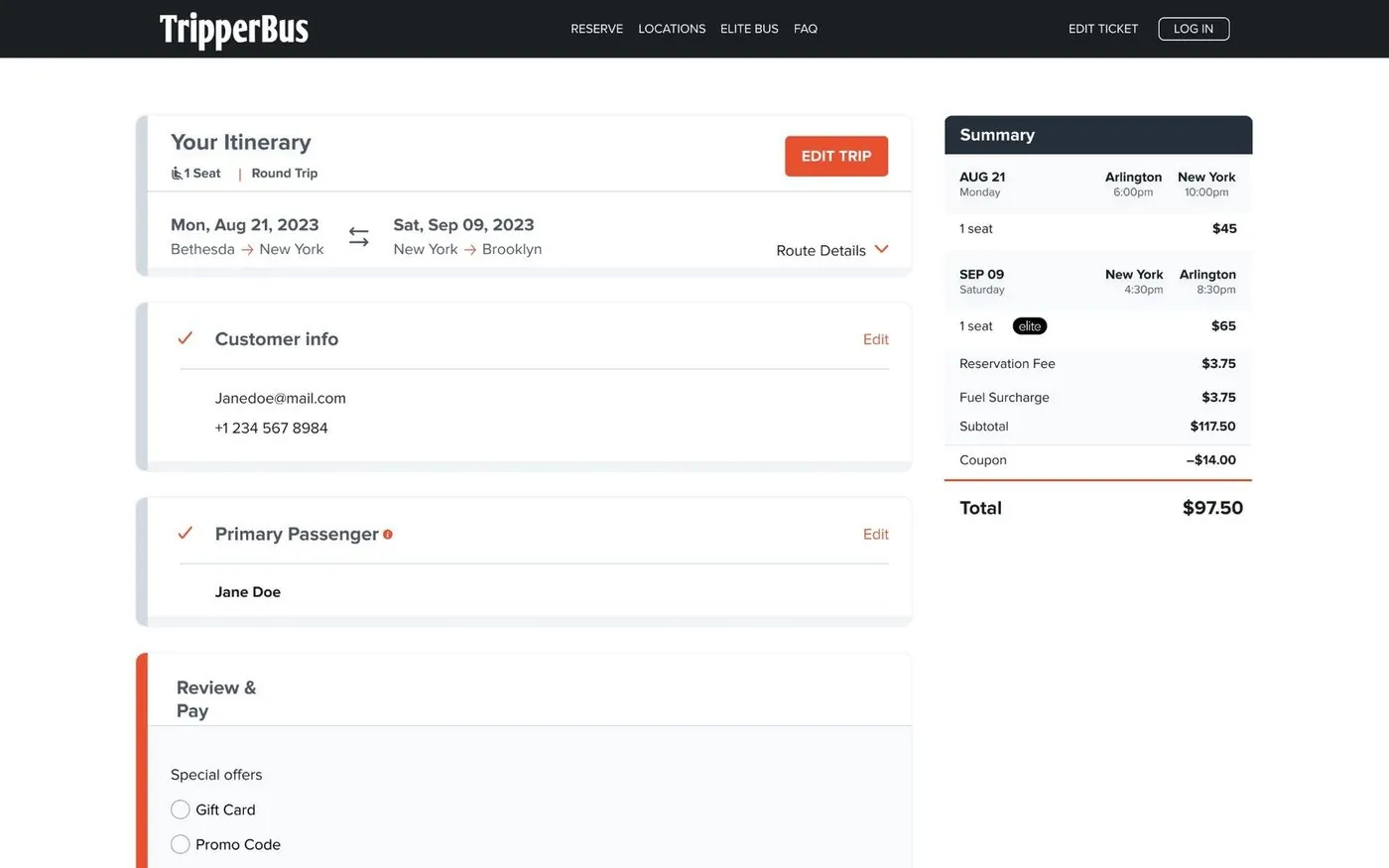
05 Checkout
One step at a time, with the total always in view.
Customer info, passenger and payment open one after another. Completed steps collapse with an edit link, and the summary stays pinned.
tripperbus.com
9:41
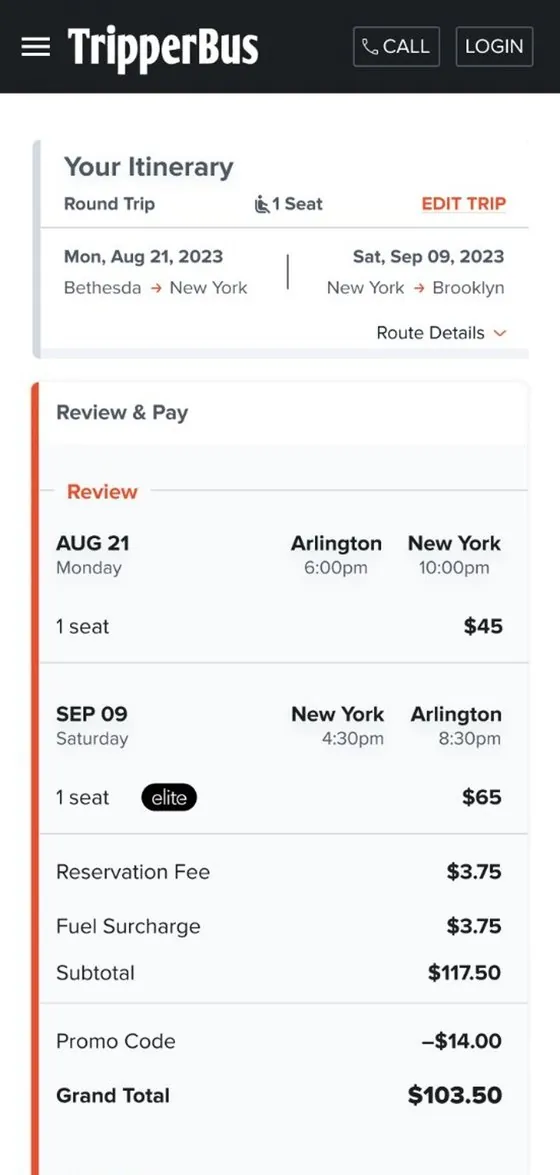
06 Review & pay
Rewards and promos right where you pay.
Gift cards, promo codes, account credit and points sit above the card form. Riders see the discount apply before they buy.
tripperbus.com
9:41
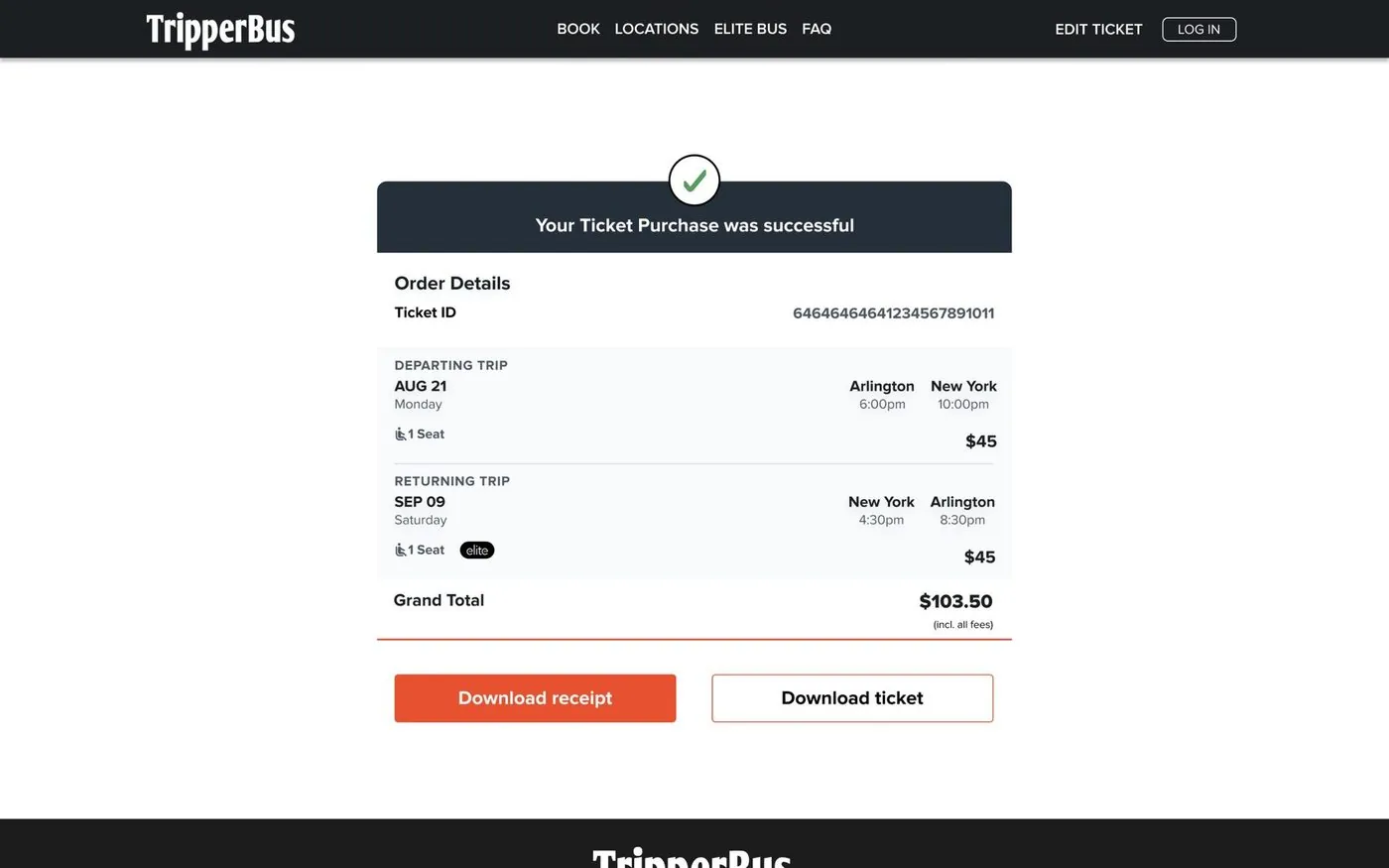
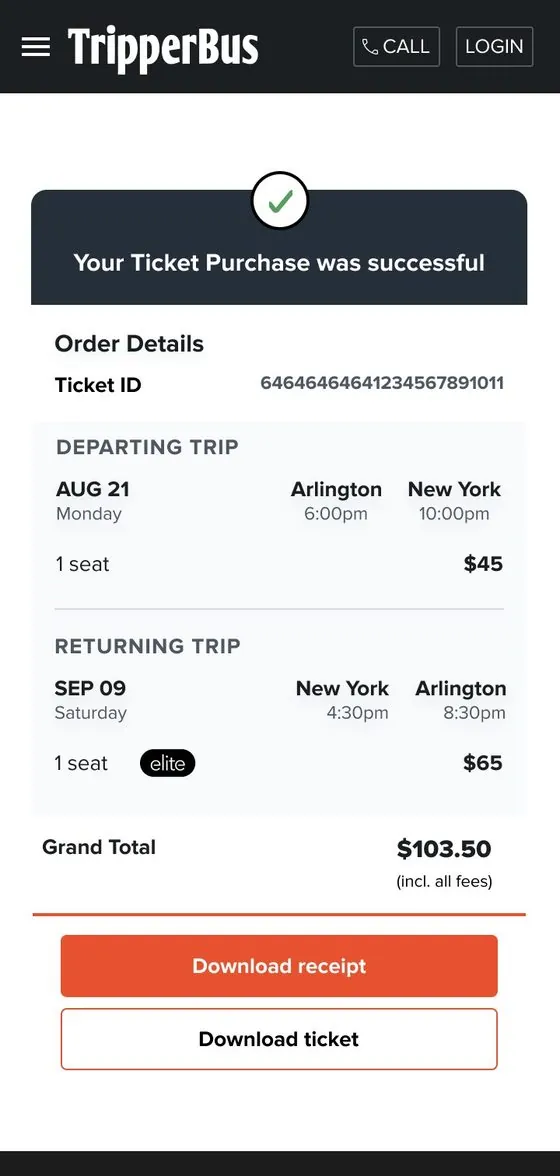
07 Confirmation
A clear finish, and a ticket in hand.
Order details, both trips and the grand total, with one tap to download the ticket or the receipt.
tripperbus.com
9:41
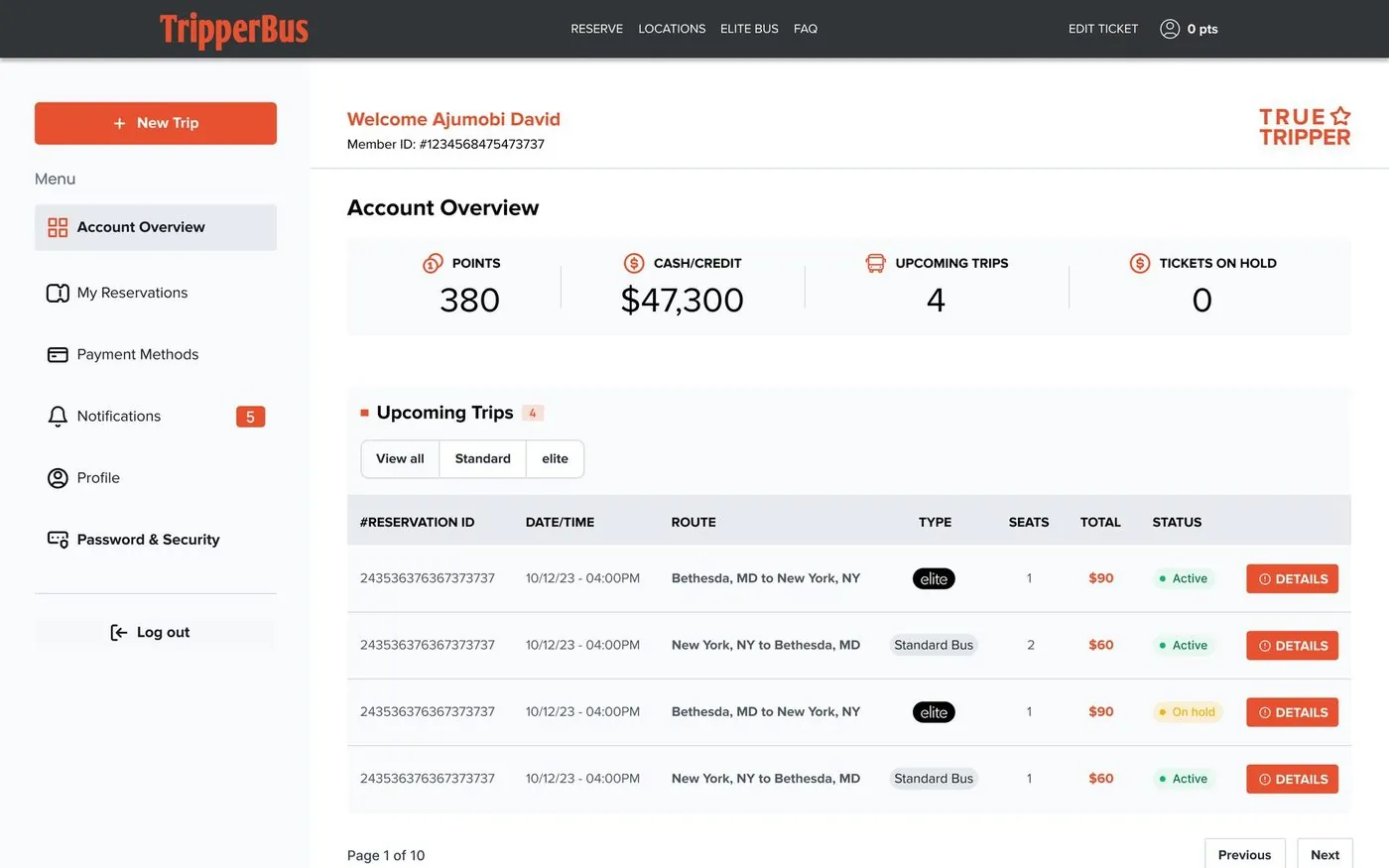
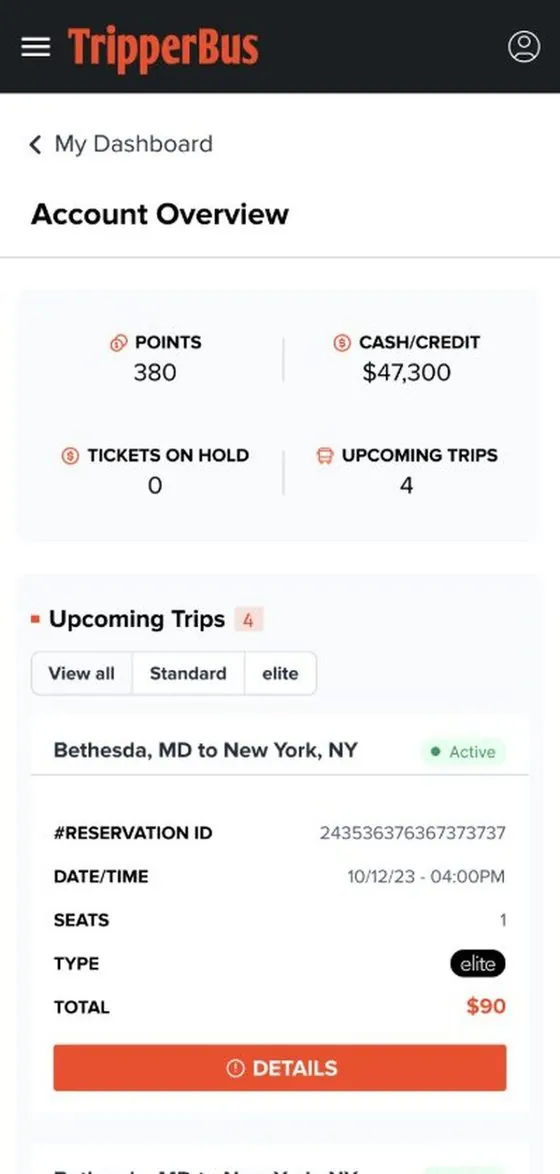
08 Rider dashboard
Points, credit and trips at a glance.
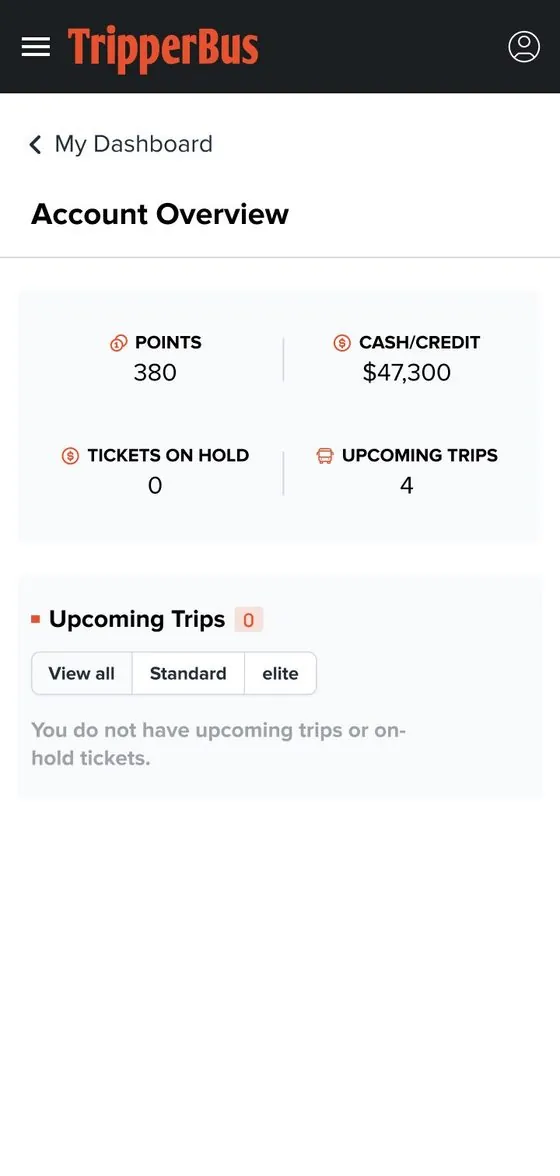
The dashboard opens with what riders check most: points, credit, upcoming trips and tickets on hold.
tripperbus.com
9:41
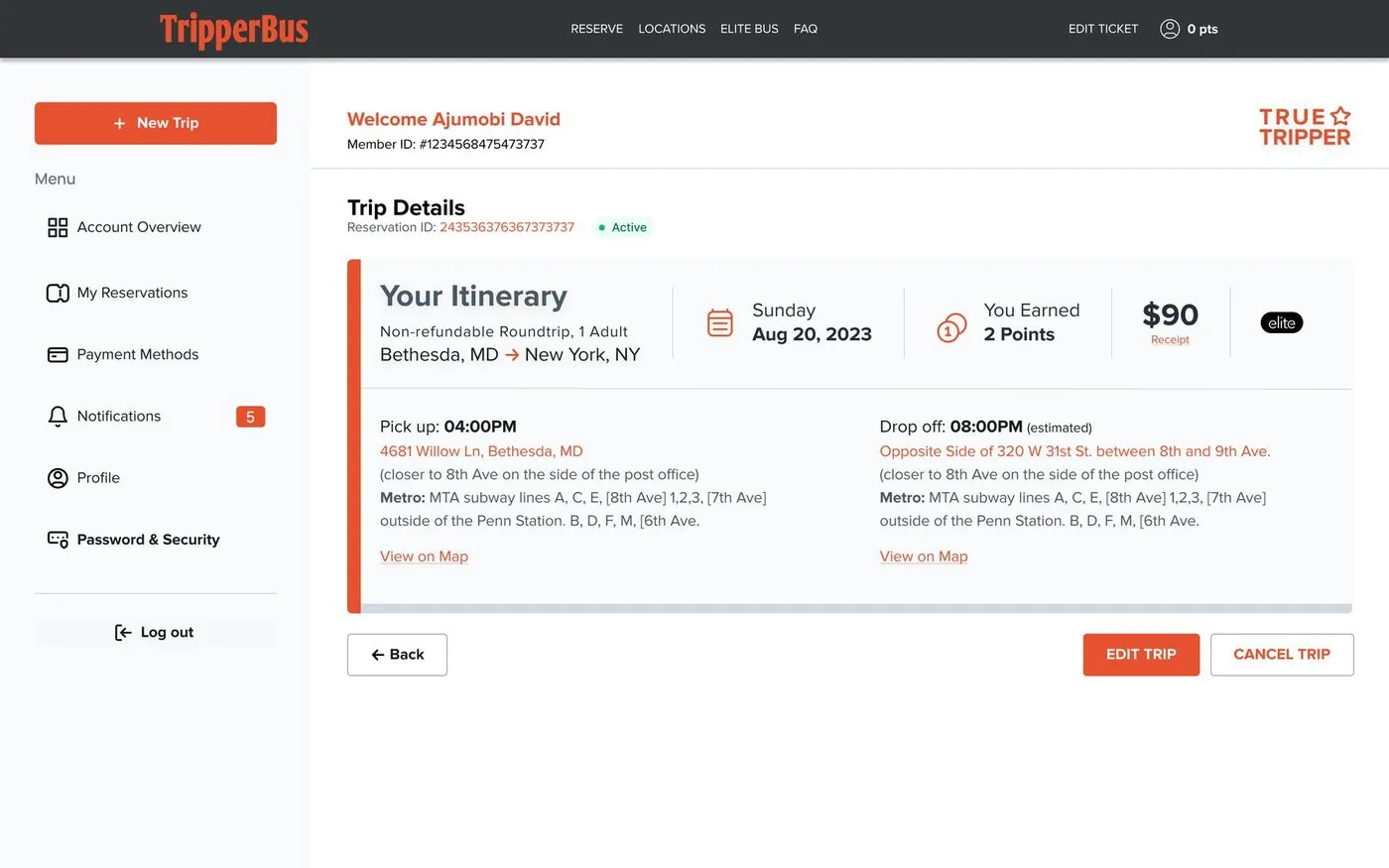
09 Manage trips
Change of plans, no phone call needed.
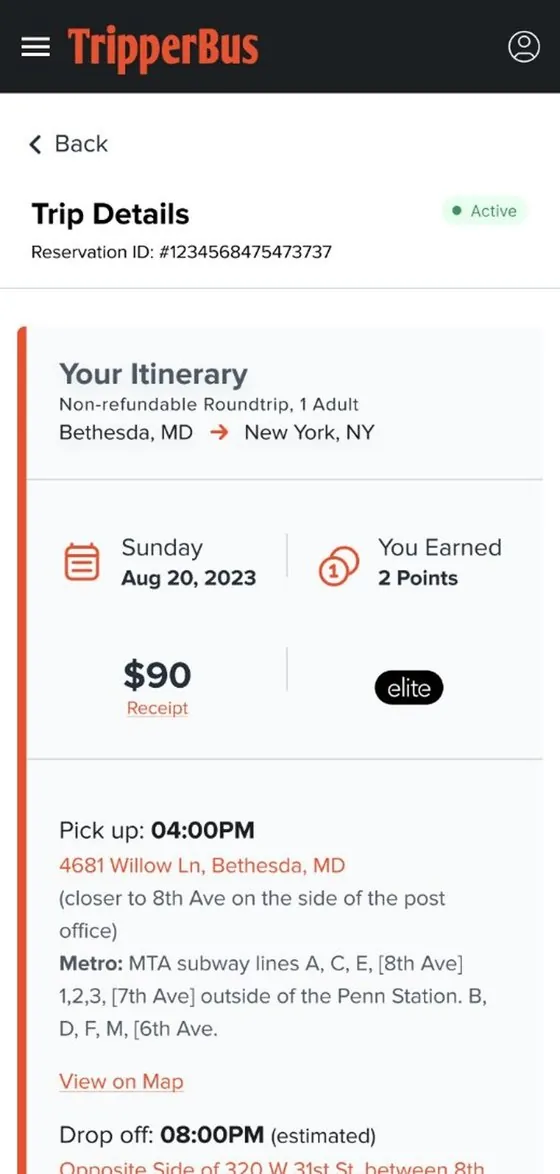
Trip details bring the itinerary, stops, points earned and receipt together, with Edit and Cancel one tap away.
tripperbus.com
9:41
Designed for the first visit, not just the happy path.
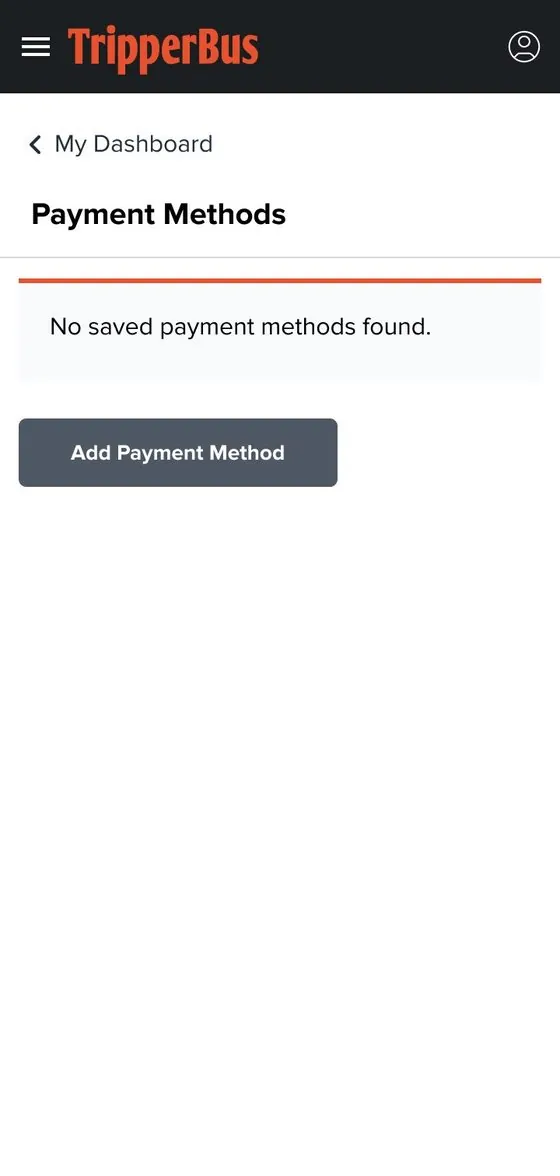
New riders have no saved cards and no trips yet. Every empty state explains what’s going on and offers the next action.
9:41
9:41
9:41
Live and booking, for 200,000+ TripperBus customers.