Fello rents thousands of iPads and POS kits to events through partners like Square, Shopify and Eventbrite. I designed the internal system that runs it all.
Fello, formerly Flying Connected, is a New Jersey company that rents preconfigured iPads, card readers and point-of-sale kits for events, pop-ups and fundraisers, delivered ready to sell.
Fello IMS is where its sales, warehouse and returns teams work all day: orders, inventory, partner storefronts and team permissions, in one place.
Design process
Untangling operations into one clear system.
01
Discover
Ops & warehouse workflows
Audit of the old IMS
02
Structure
Information architecture: 4 modules
03
Design
Table, form & history patterns
Orders, inventory, sites, users
04
Scale
Bulk tools
Roles & permissions
05
Handoff
Component specs
Dev handoff
The challenge
Thousands of devices, a dozen storefronts, one team.
Every rental touches sales, the warehouse and returns. Orders arrive from partner sites like Square and Shopify, devices need the right data plans and accessories, and every change has to be traceable.
Design goals
1
One order, one page.
Reservation, fulfillment, shipping and attachments in a single view.
2
Inventory at scale.
Track every iPad by barcode, serial and IMEI, and edit hundreds at once.
3
Control every storefront.
Products, pricing, services and sections per partner site.
4
Right access for each role.
Granular permissions for sales, warehouse, returns and admins.
5
Nothing changes silently.
A history log on every order, product, service and user.
How might we
give a fast-moving ops team one place to sell, ship and track thousands of rental devices without mistakes?
Who we designed for
Three teams, one tool.
Proto-personas based on the roles that use the IMS every day.
OM
Sales & ops
The order manager
Handles partner and direct orders
Builds quotes, edits reservations and sends payment links all day.
Needs
Edit orders fast
Payment links & promo codes
Order status at a glance
Pain points
Jumping between tools
Hunting for order changes
FT
Warehouse
The fulfillment tech
Preps, ships and checks devices in
Assigns real devices to orders, scans barcodes and checks hardware back in.
Needs
Assign models to products
Bulk-scan and edit items
Clear tech notes
Pain points
Manual data entry
Wrong data plans on devices
AD
Admin
The system owner
Manages sites, products and team
Sets up partner storefronts, pricing and who can do what.
Needs
Per-site pricing & rules
Role permissions
An audit trail
Pain points
Duplicate setup work
No record of who changed what
Information architecture
Four modules that map to how the business works.
Everything the team does lives in one of four places, and every module uses the same list, detail and history pages.
Fello IMS
Orders
Orders list
Order details
Reservation
Fulfillment
Shipping
History log
Inventory
Items
Models
Bulk import
Bulk edit
Model rules
Sites control
Products
Services
Content pages
Sections
Promo codes
IMS users
Users
User details
Roles & permissions
Users history
Rental flow
From the order to the devices coming back.
The path every rental takes through the system, and the team that owns each part.
01 Sales
Order from a partner site or sales
Orders list: status, dates, delivery
Order details: reservation & payment
Payment linkPromo code
Order confirmed
02 Warehouse
Fulfillment
Assign real models & data plans
Model in stock?
YesCheck devices outNoModel rule swaps in a fallback
Ship with tracking
03 Returns
Event ends
Scan devices back in
Status: returned
Every change saved to the history log
Visual system
Dense data, easy on the eyes.
The team lives in this tool all day. A soft grey canvas, Montserrat for clear numbers, and Fello’s amber kept for navigation and the next action.
Fello amber#F39C12Nav · primary links
Coral#FC6F6FSave · add · create
Ink#2B2B35Text · headers
Lavender grey#EEEEF5Top bar · table heads
Green#2E9E62Success · progress
Aa
Montserrat · for clear numbers
SQ36146 · x25 iPad mini
Processing · Shipped · Returned
Updated by Courtney, 10:42 AM: tech note added
Components
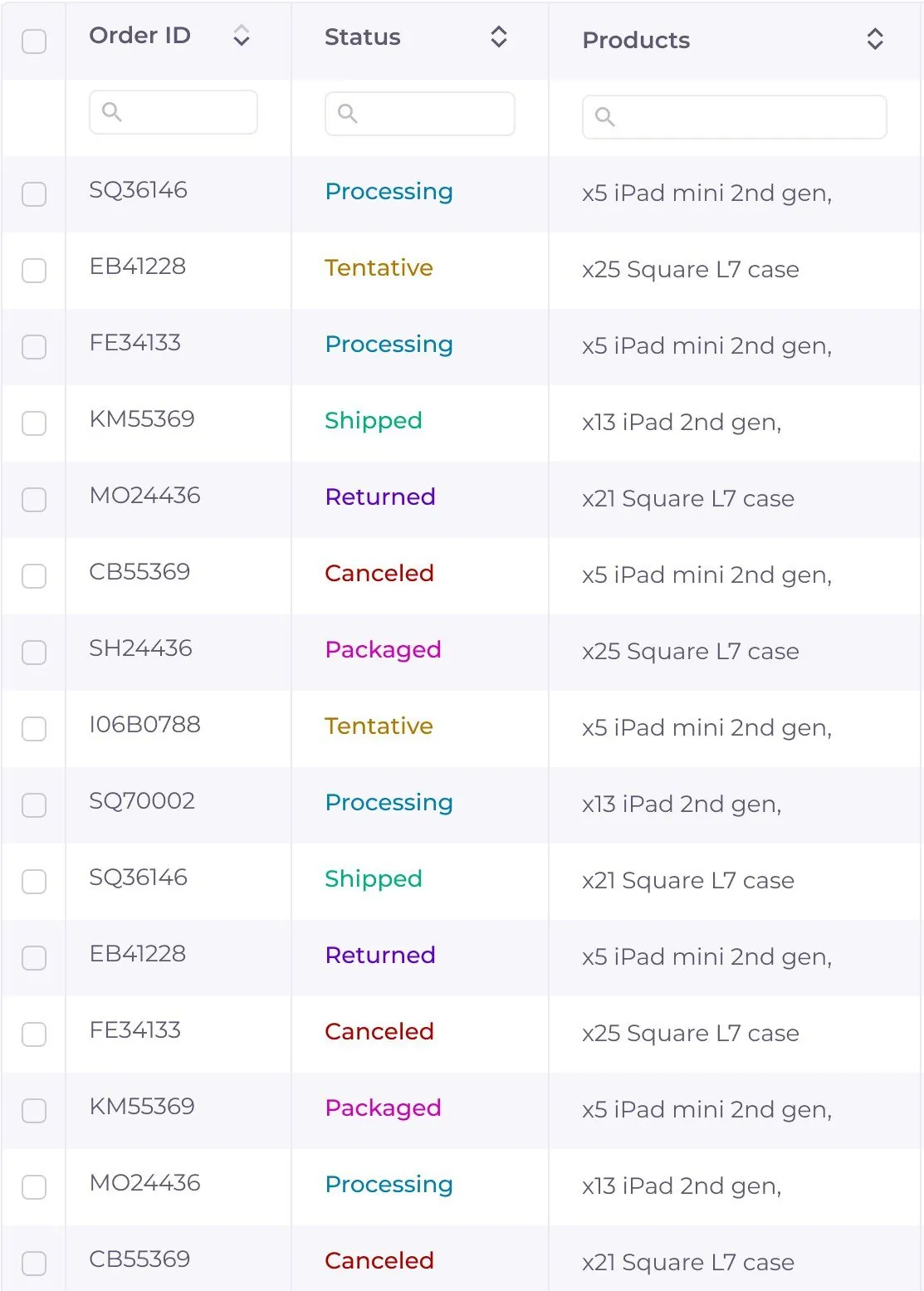
Status colours that carry meaning
Primary actions in coral, top right
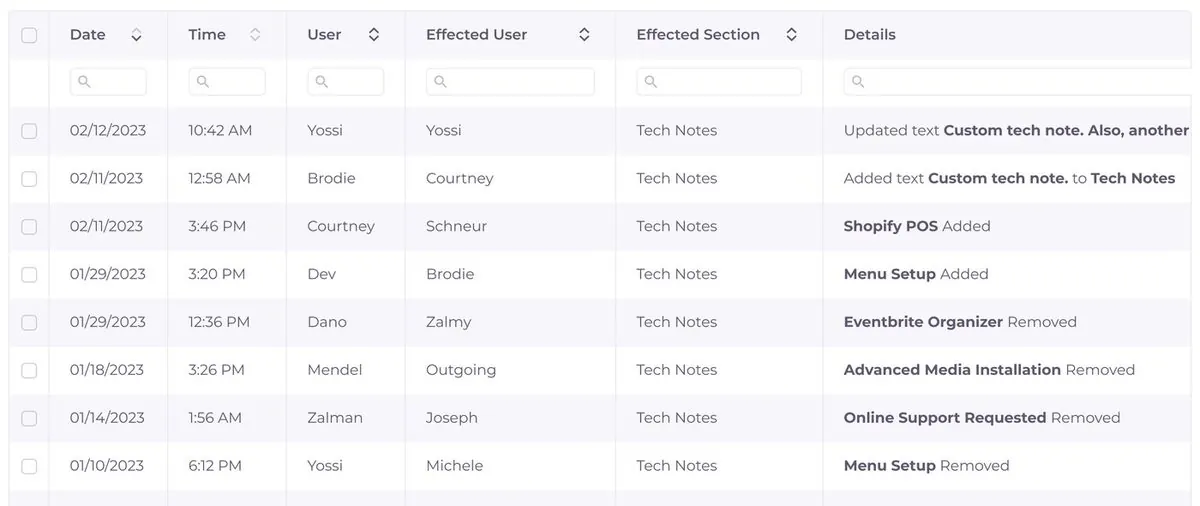
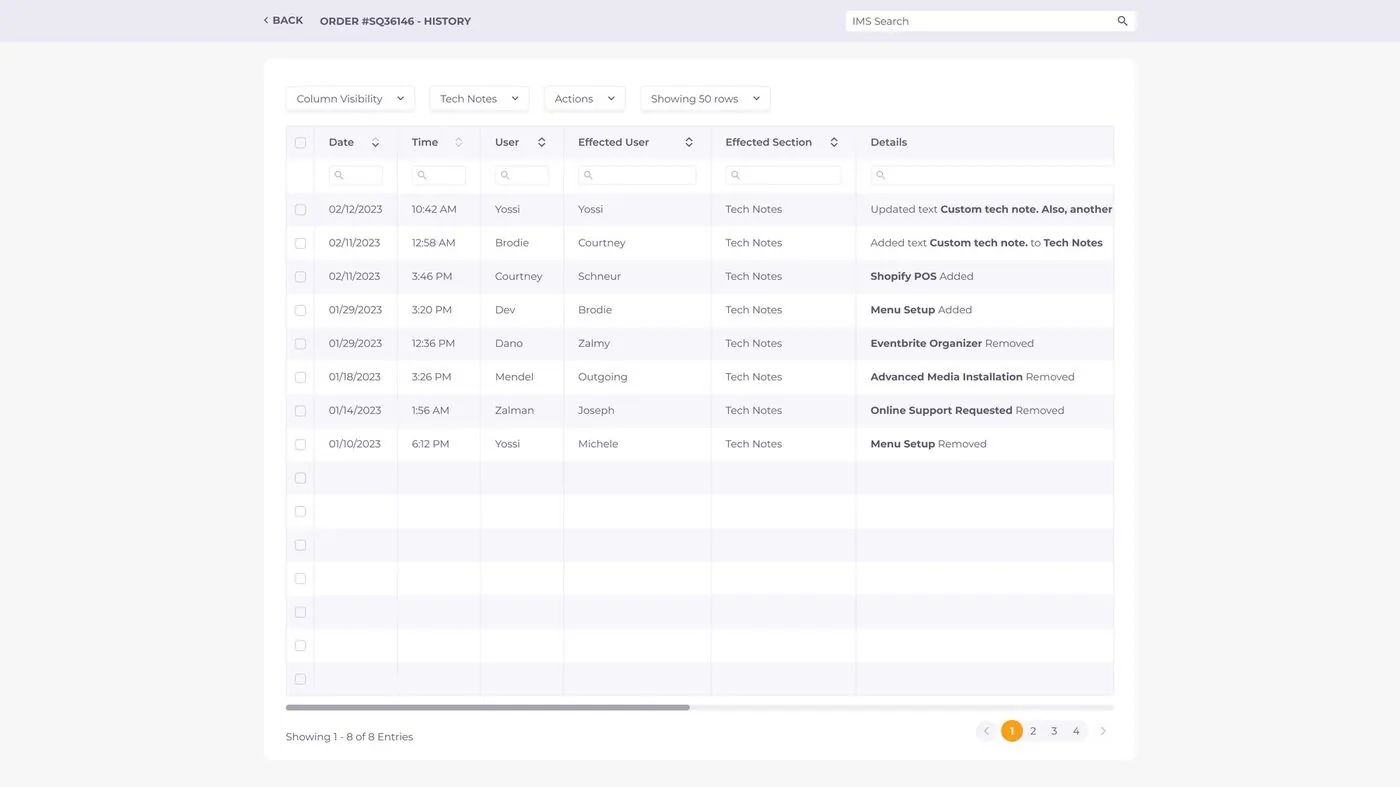
History log: who changed what, and when
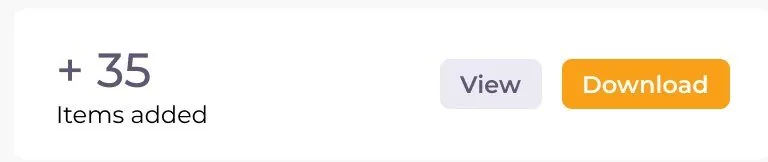
Clear result states after bulk work
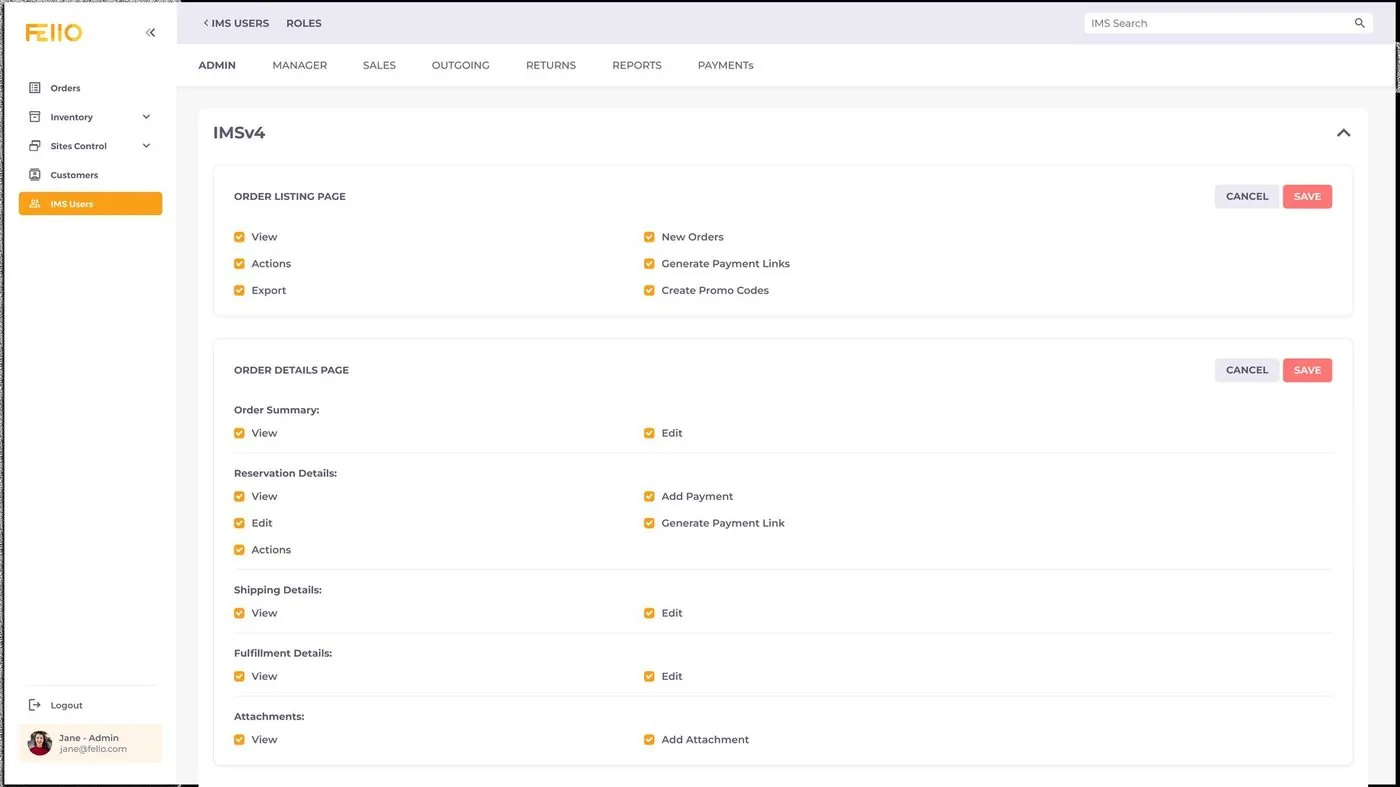
Permission card: view, edit and action rights per page
Final product
One system, from order to check-in.
A walkthrough of the IMS, following a rental from the moment it’s ordered to the moment the devices come back.
01 Orders
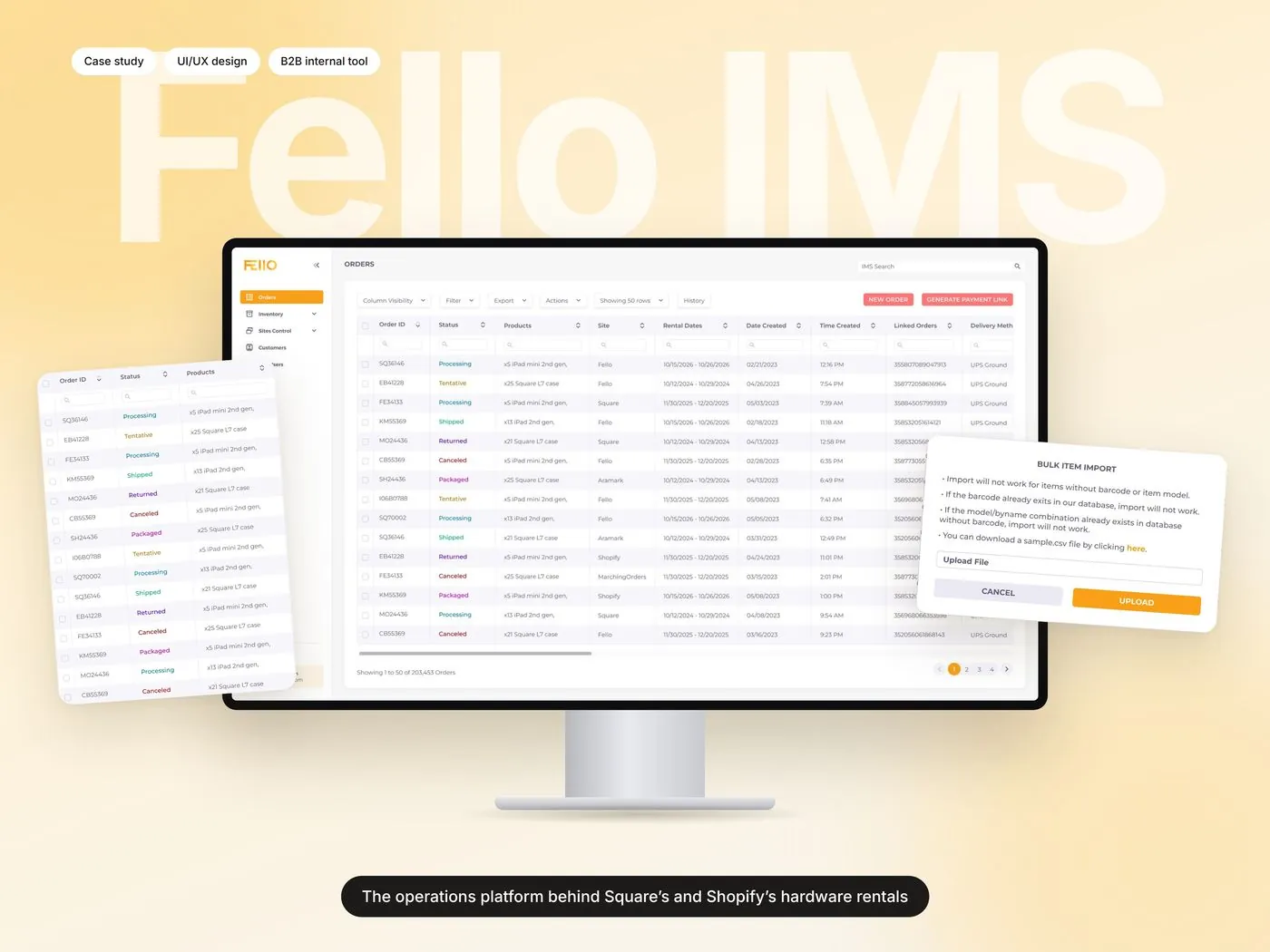
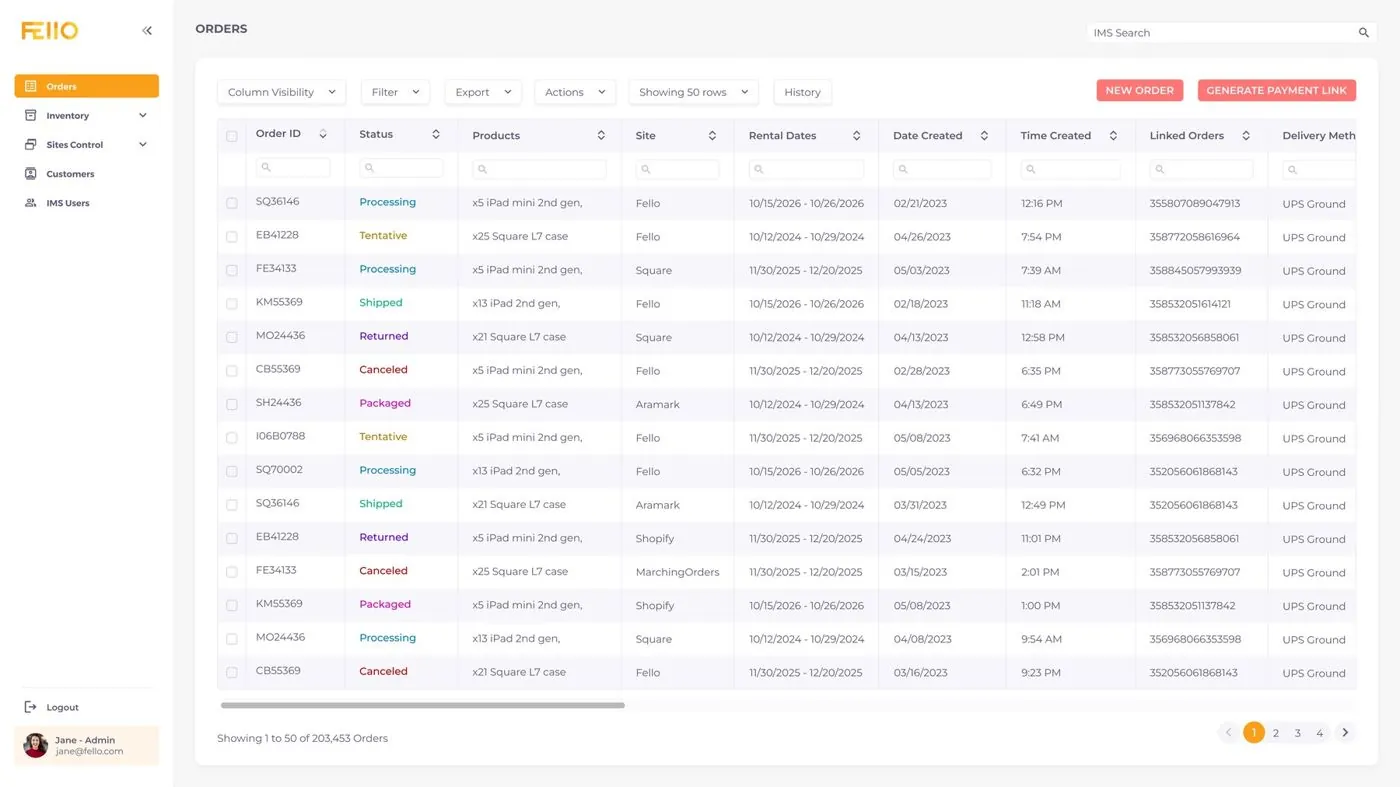
Every order at a glance.
Orders from Fello, Square, Shopify, Eventbrite and more land in one list. Colour-coded statuses, rental dates and delivery methods make the day’s work obvious.
fello ims
02 Order details
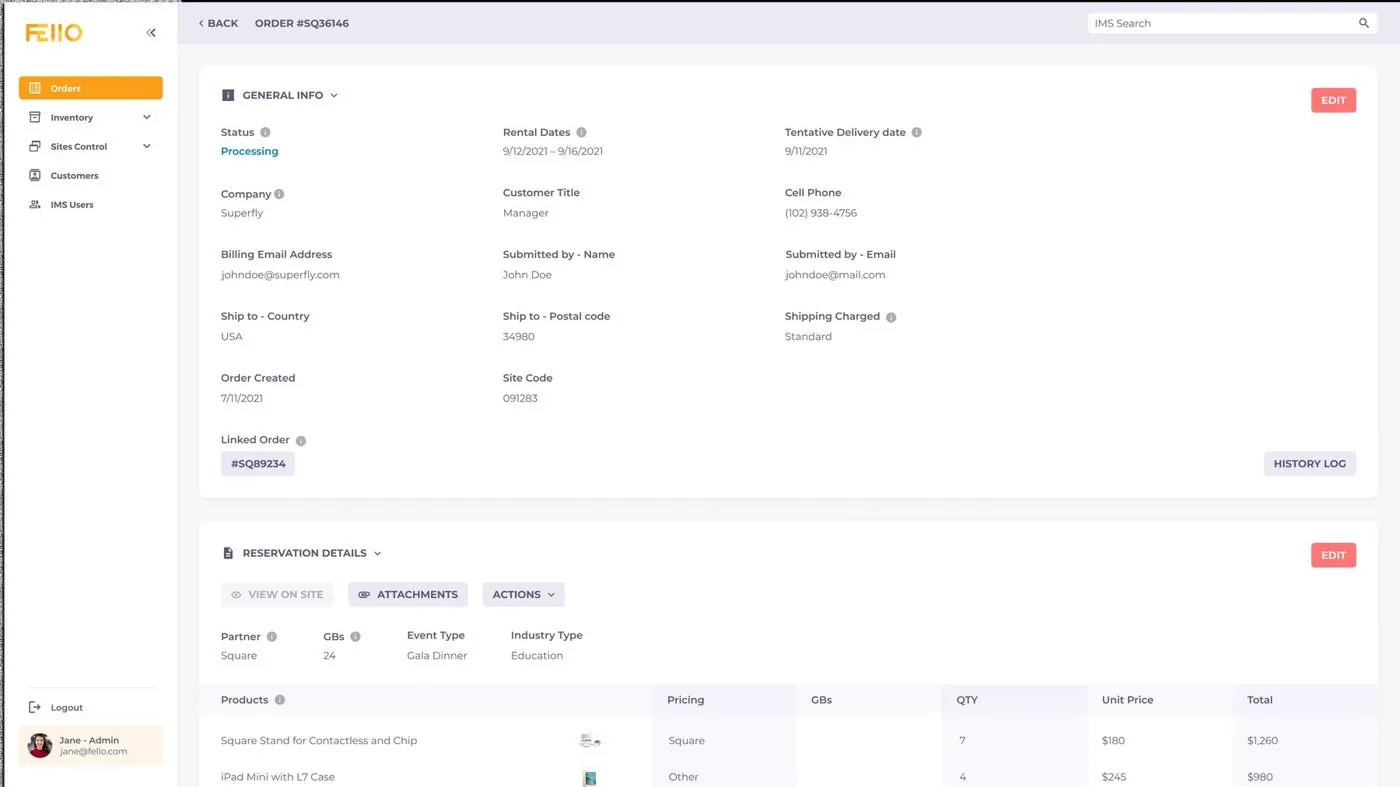
The whole rental on one page.
General info, reservation, fulfillment, shipping and attachments, each in its own card. View mode stays clean, and edit mode turns every field into a form.
fello ims
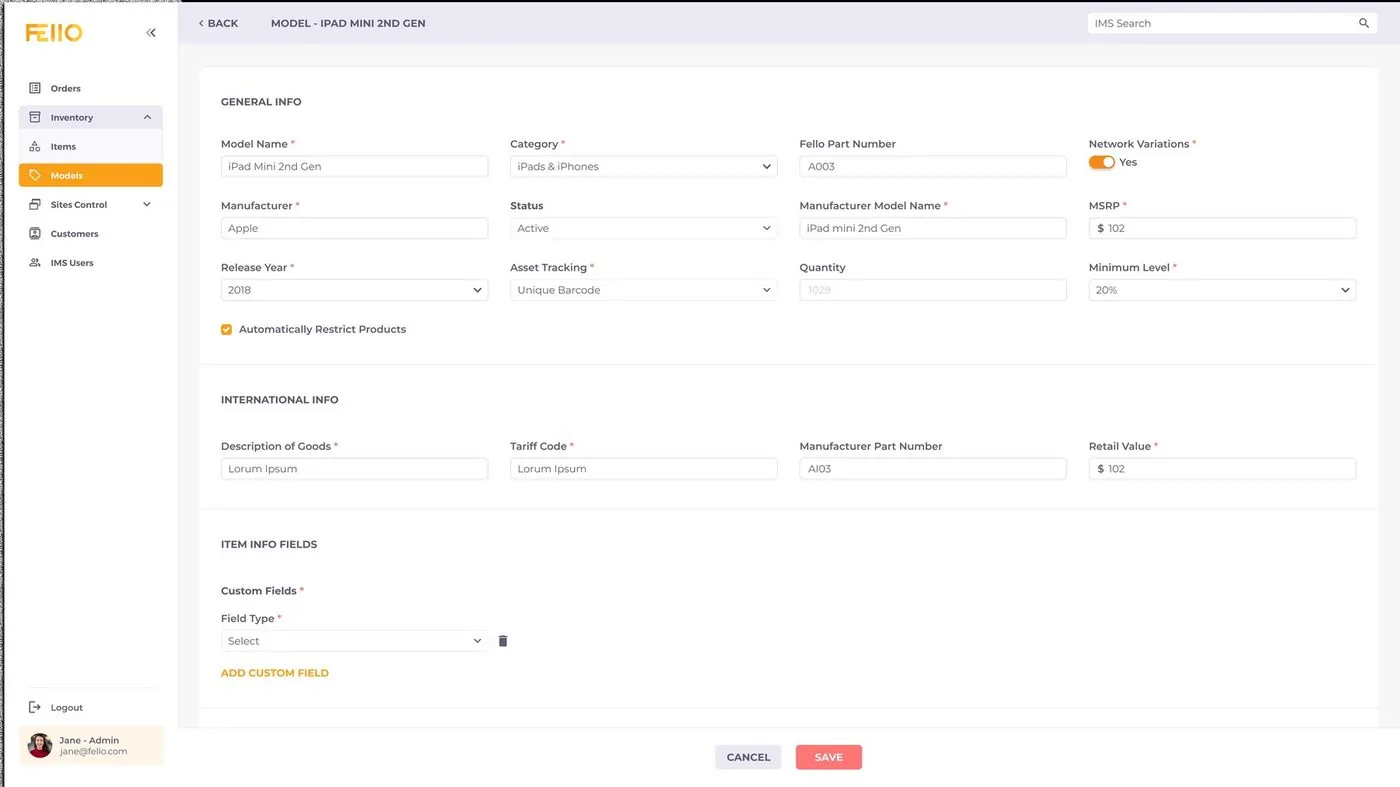
03 Inventory
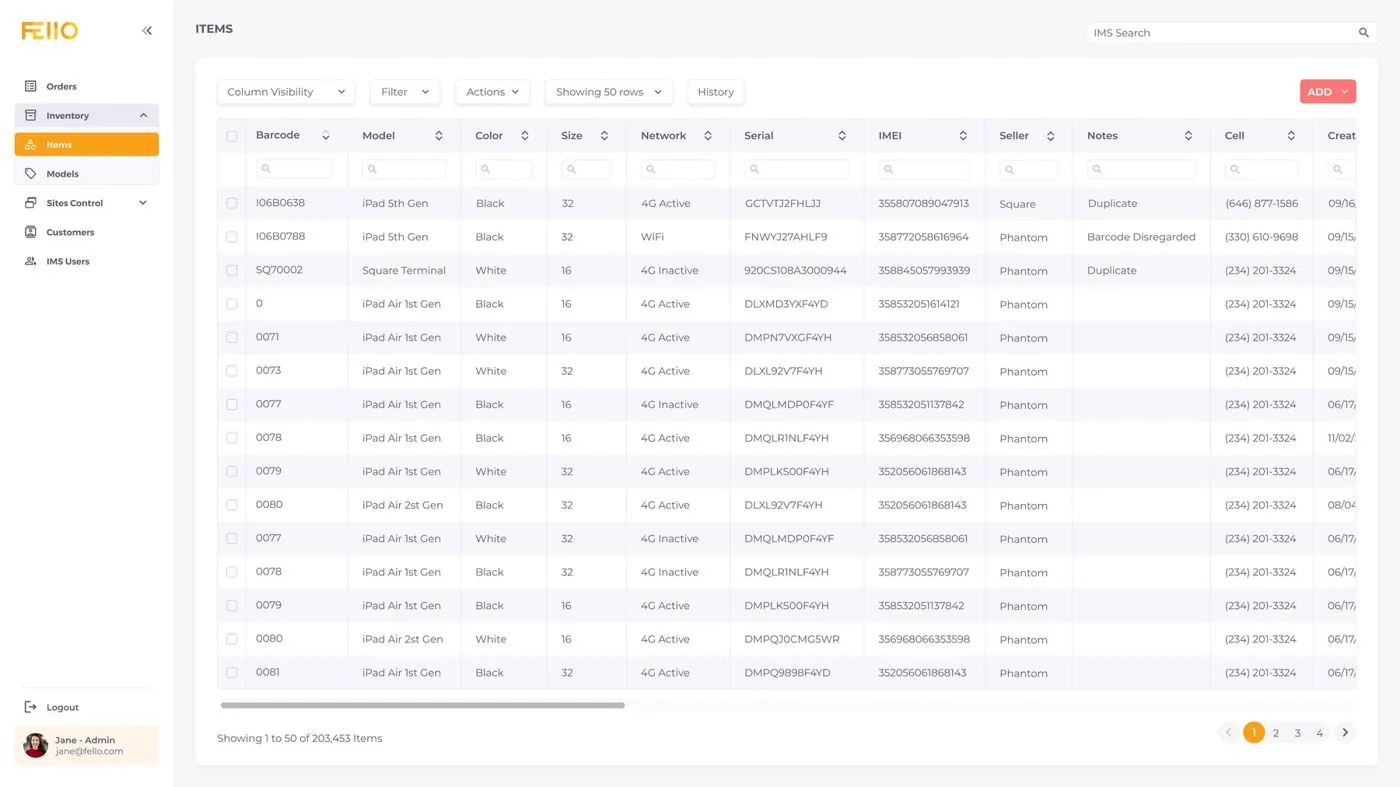
Track every device by barcode, serial and IMEI.
Items and models share one table pattern: searchable columns, filters and bulk actions, so huge lists stay quick to scan.
fello ims
04 Bulk import
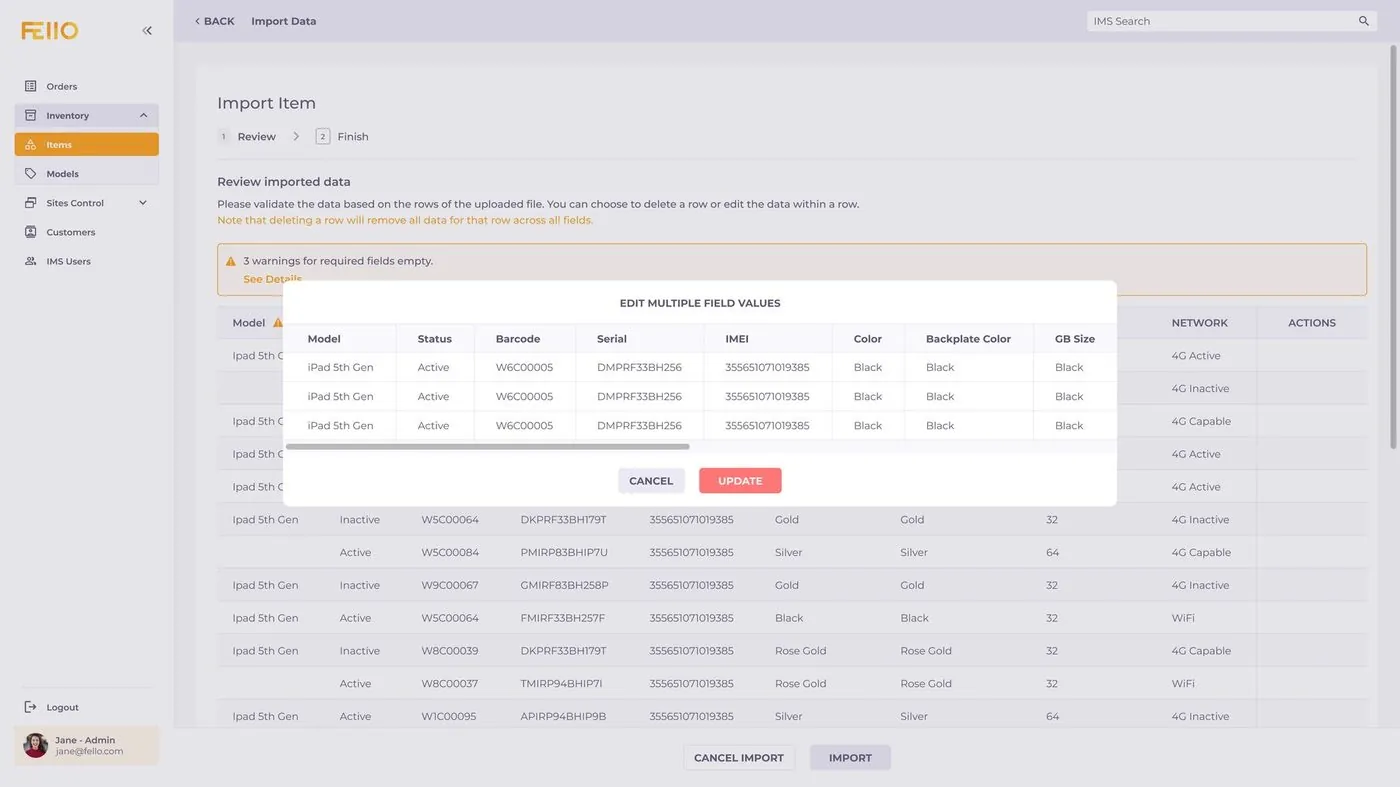
Hundreds of devices, added in one upload.
Upload a CSV with the rules spelled out up front, then review and fix flagged rows before anything is saved.
fello ims
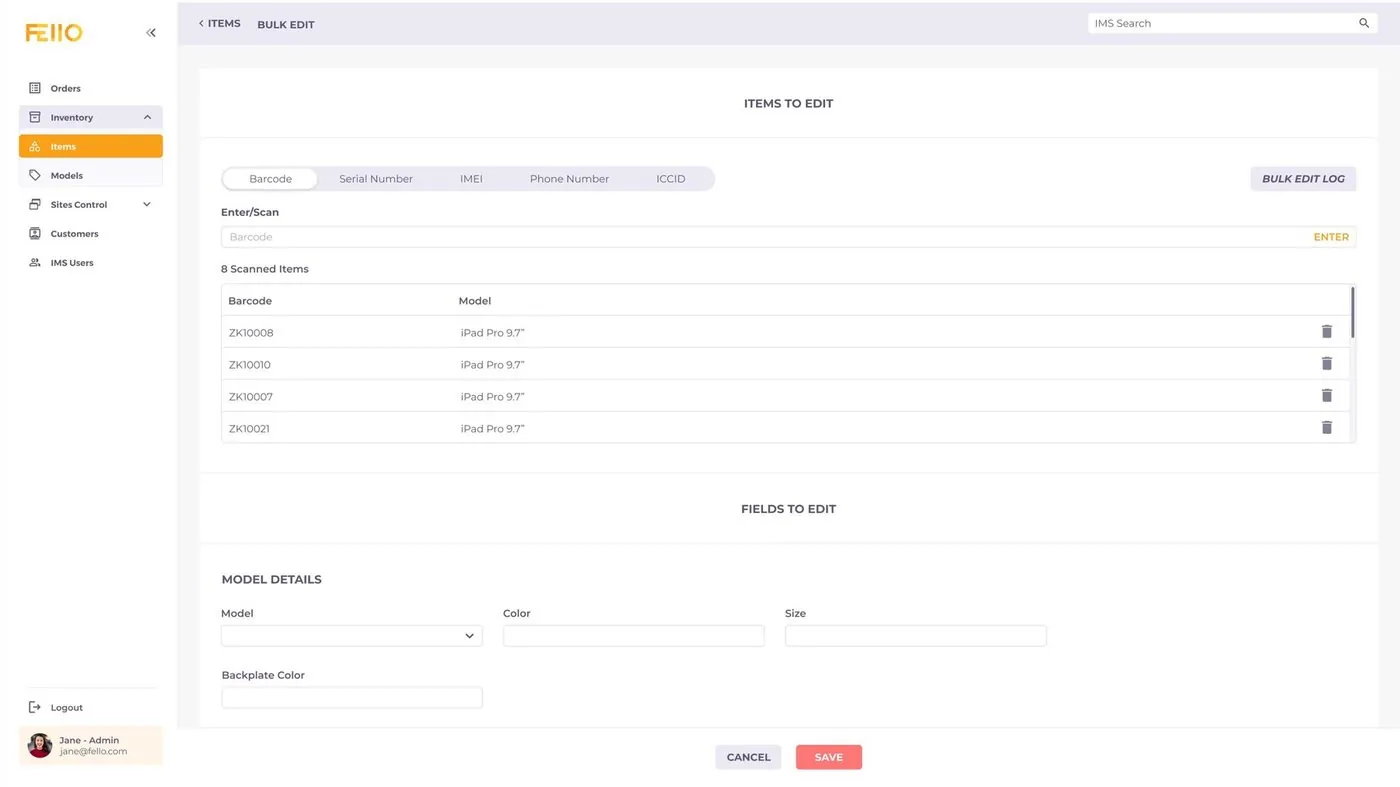
05 Bulk edit
Scan, then edit everything at once.
Scan barcodes or paste serials, IMEIs or phone numbers, then update shared fields for every scanned device.
fello ims
fello ims
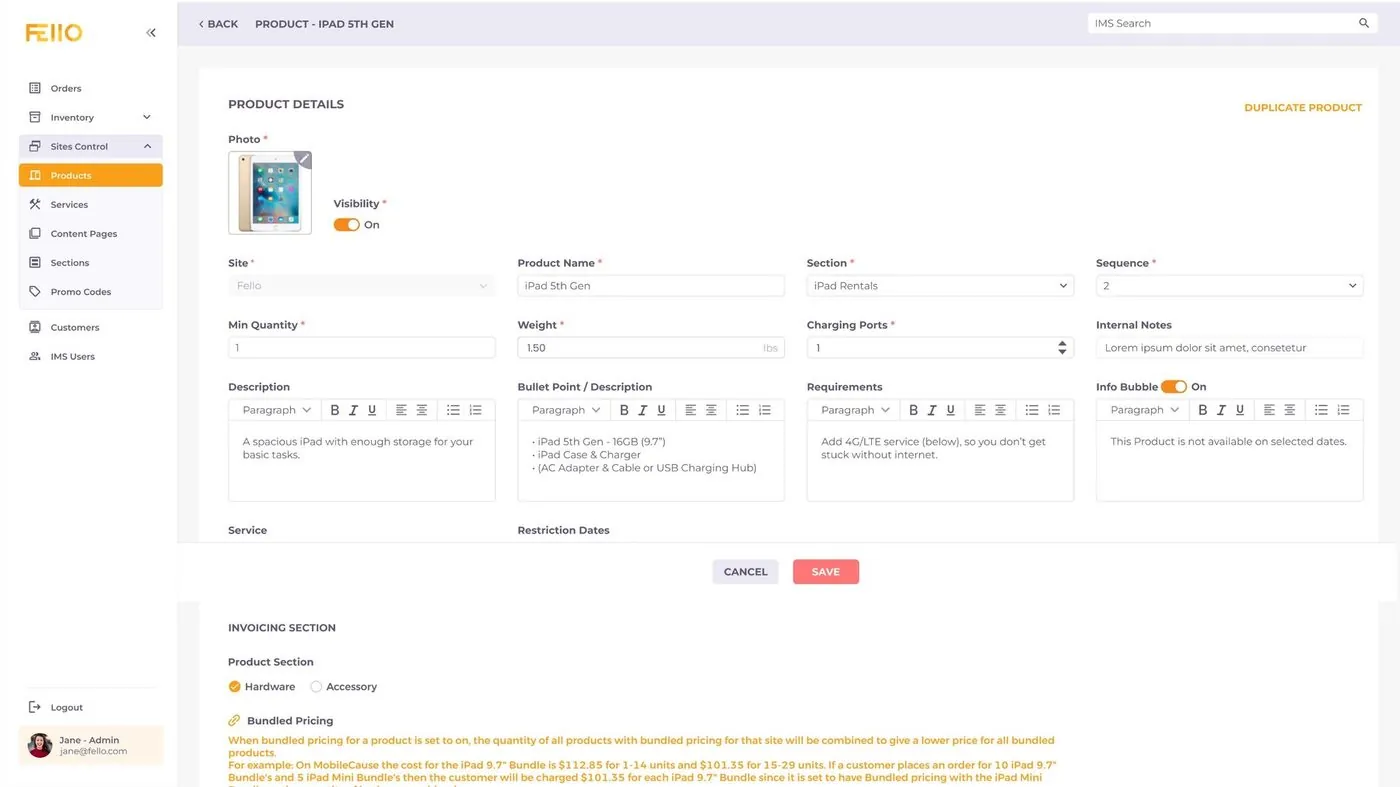
06 Products & pricing
Every partner site, its own prices.
Products are set up per storefront with a days-by-quantity pricing grid, bundled pricing and visibility controls.
fello ims
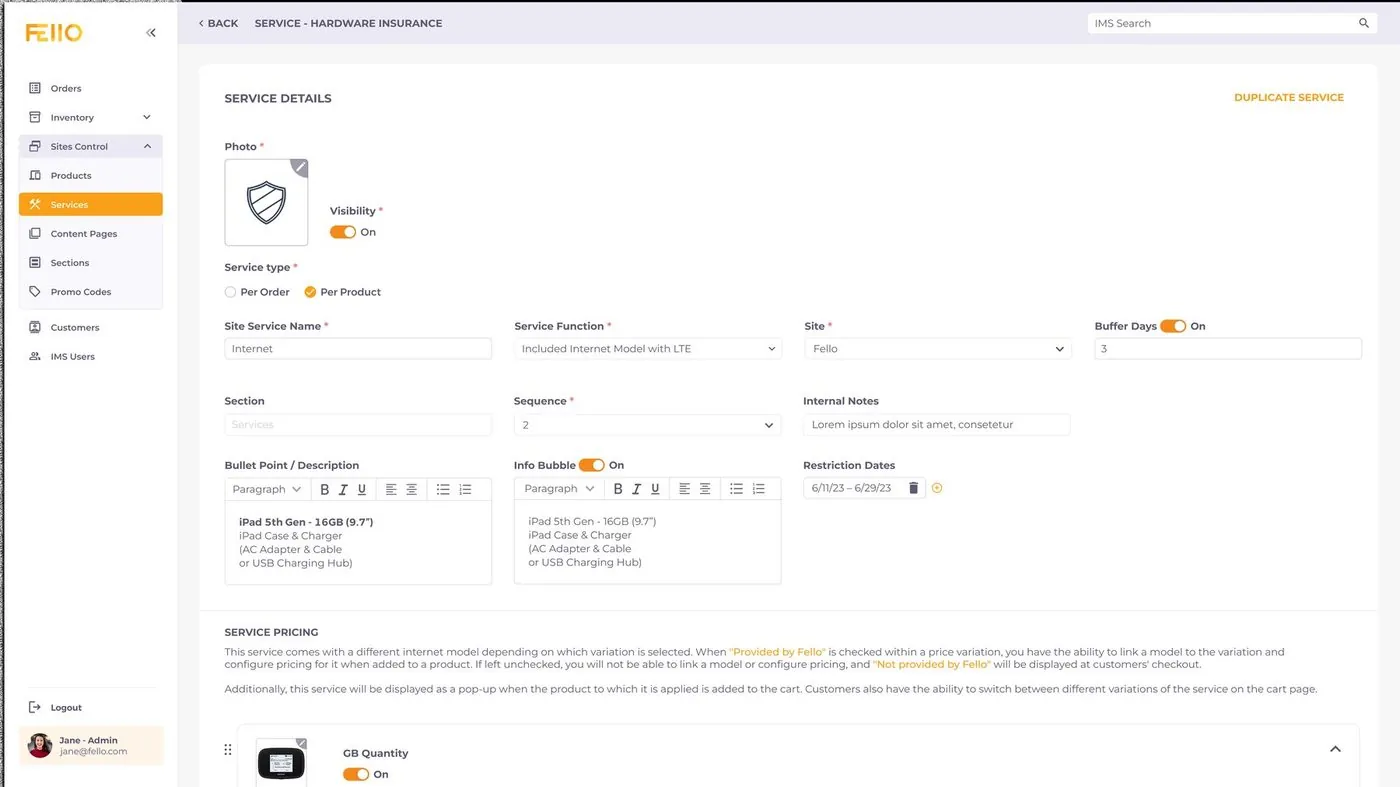
07 Services
Insurance, data and setup, configured once.
Services like LTE data, MDM, shipping and damage insurance can be per order or per product, with price variations and linked models.
fello ims
08 Users & roles
Everyone sees exactly what they need.
Roles for admin, manager, sales, outgoing, returns, reports and payments, each with view, edit and action rights per page.
fello ims
09 History everywhere
Nothing changes without a trace.
Orders, products, services, models and users all keep a searchable history: who changed what, when, and from what to what.
fello ims
One system behind Square’s and Shopify’s hardware rentals.